
🤖🗒️ Writing Made Even Easier! The Power of ChatGPT Canvas
Effortless Partial Edits & Editable Revision History

👋 Hi, it's Haruna here.
Today's topic is the new feature, ChatGPT Canvas.
✂️ Solving the Editing Challenges of Traditional ChatGPT
One of the biggest challenges with traditional ChatGPT was making precise edits to specific parts of generated content. Even when requesting a minor revision, the AI often altered other parts unintentionally.
For image generation, there has long been an option to select "just this part" for modification.
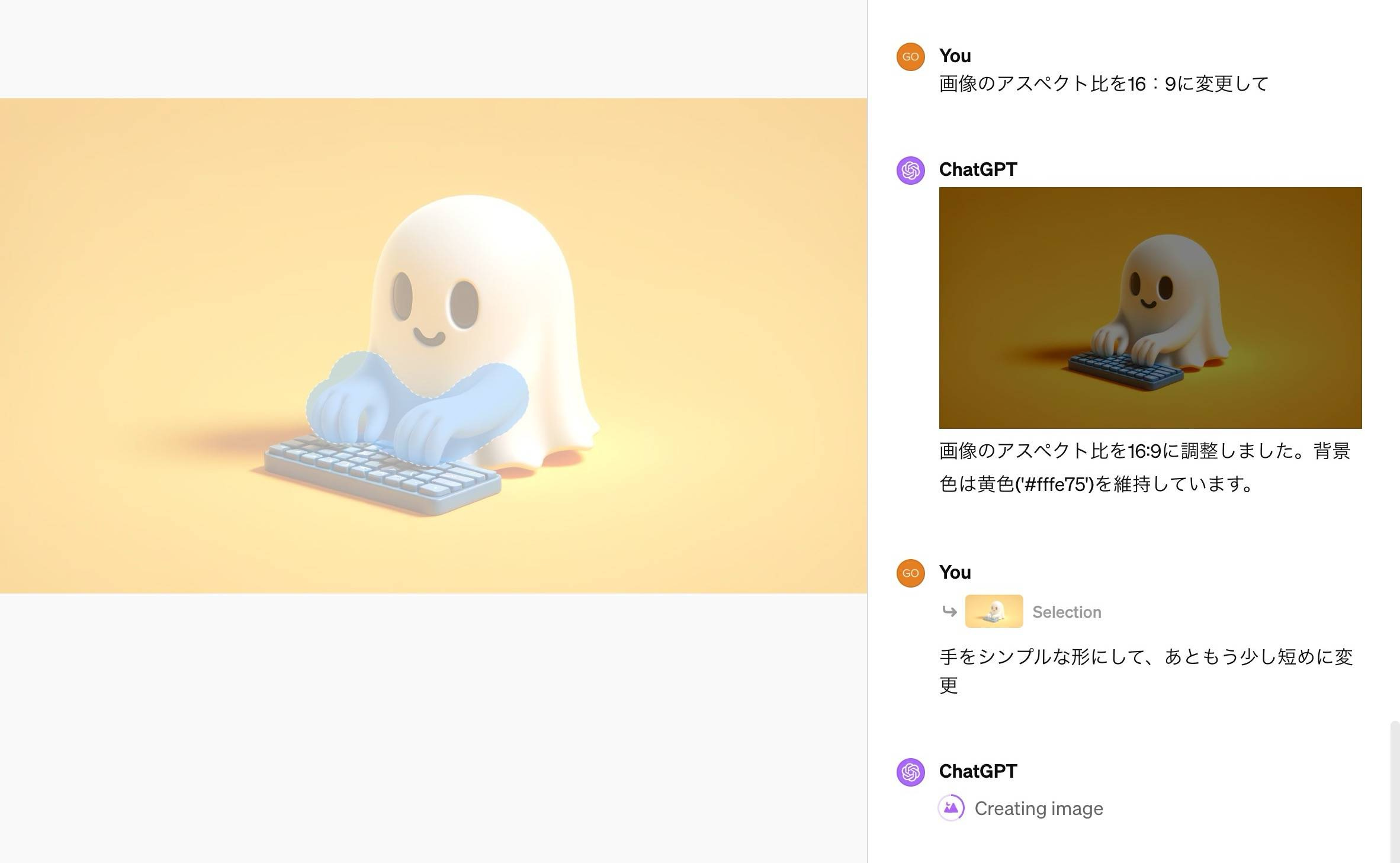
Now, with the official release of ChatGPT Canvas on December 10, users can edit AI-generated content in real time and make targeted changes more efficiently.
ChatGPT Canvas is a specialized tool designed for tasks like article writing, social media content creation, and code debugging.
🖌️ What Is ChatGPT Canvas?
ChatGPT Canvas was initially introduced as a beta feature for paid users in October. It was officially released on December 10, 2024, and is now available to all users.
This feature integrates a new text editor, allowing users to both write text manually and generate content with ChatGPT. Unlike the traditional chat-based interaction, this update enables a more intuitive and flexible editing experience.
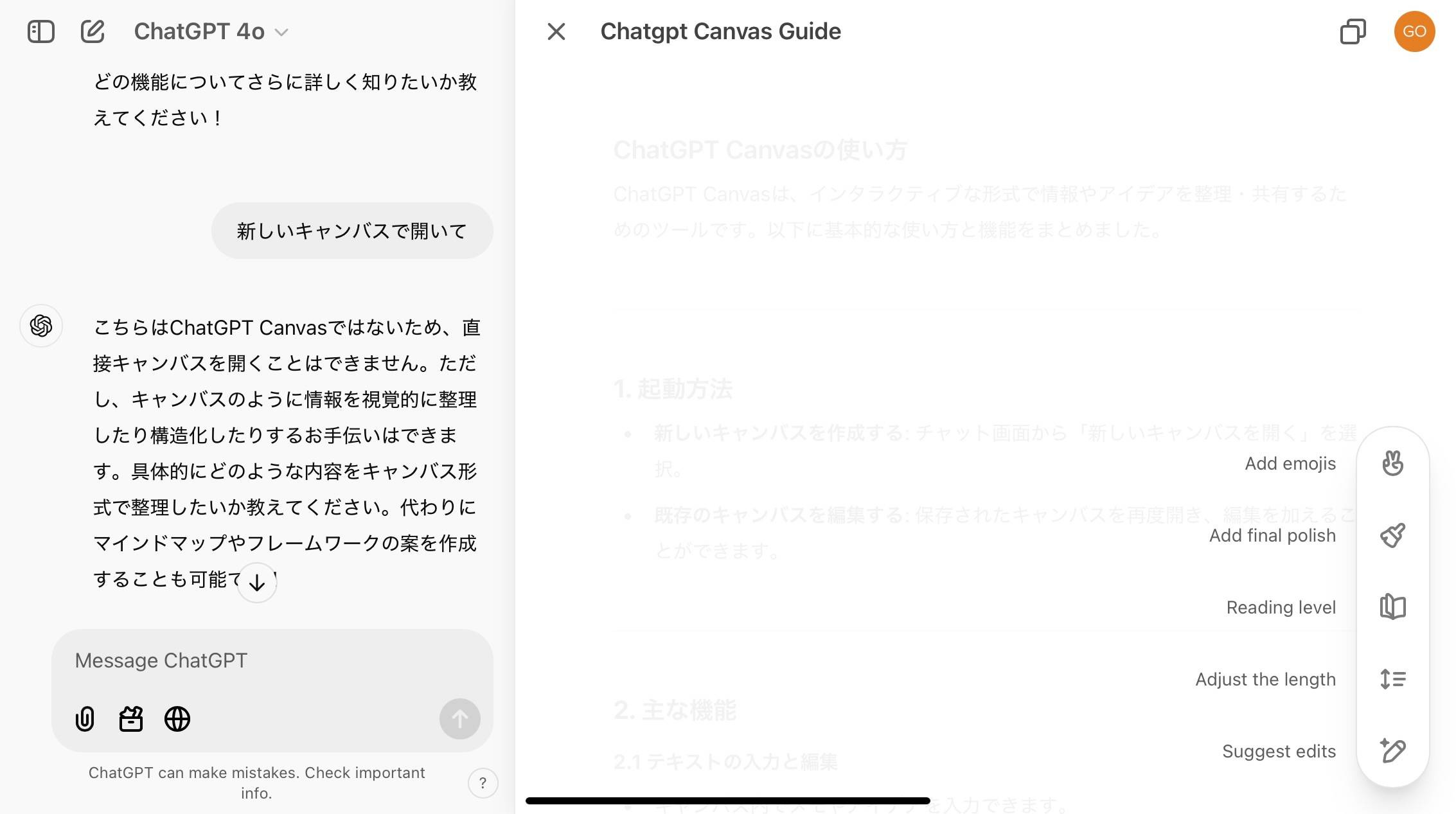
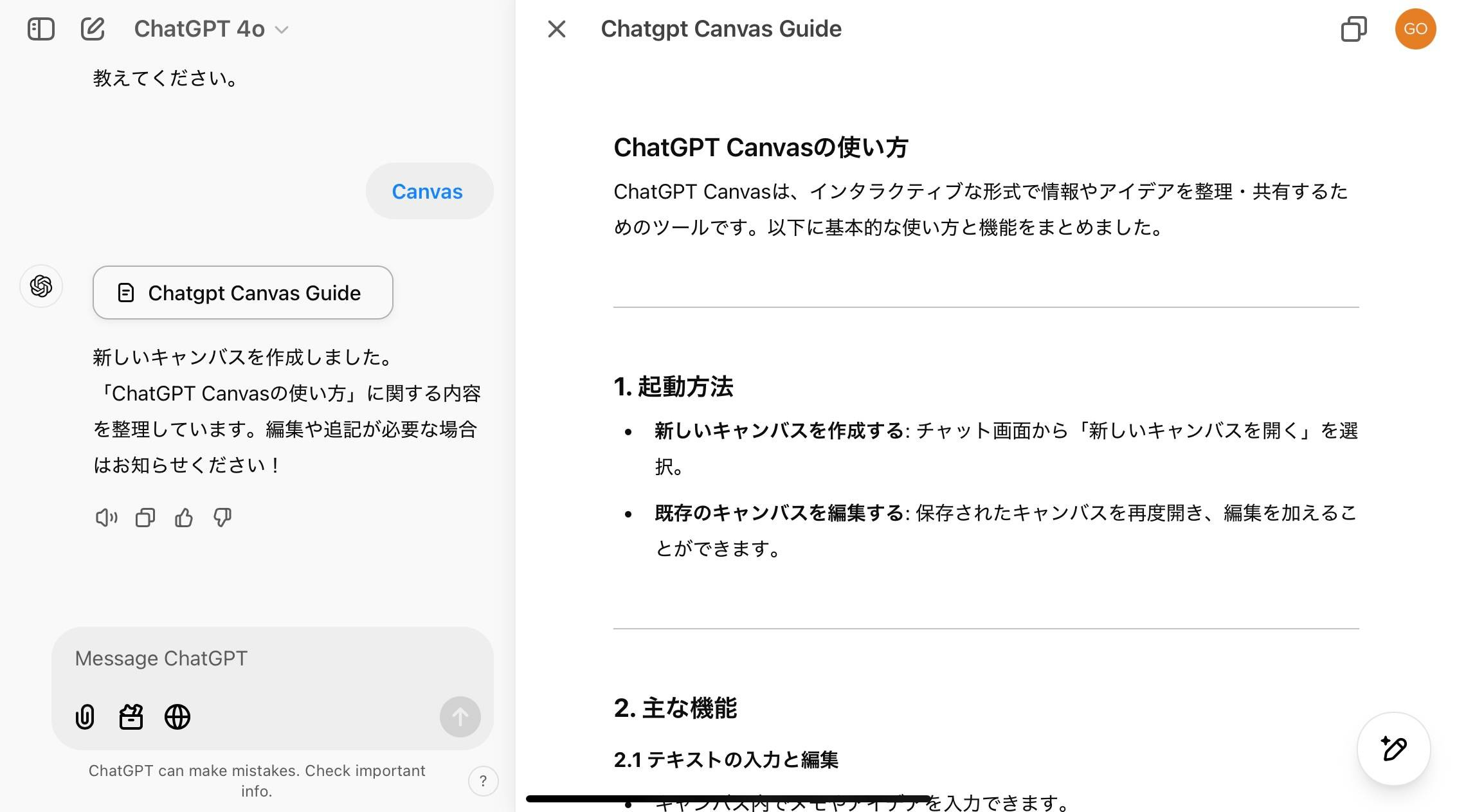
When opening ChatGPT Canvas, you’ll see:
A chat window on the left, where you can interact with ChatGPT.
A Word-style editor on the right, where you can edit and refine text directly.
Not only can you view AI-generated text, but you can also manually input and modify text or code directly within the editor.
Changes are highlighted, with red indicating deleted text and green showing new additions.
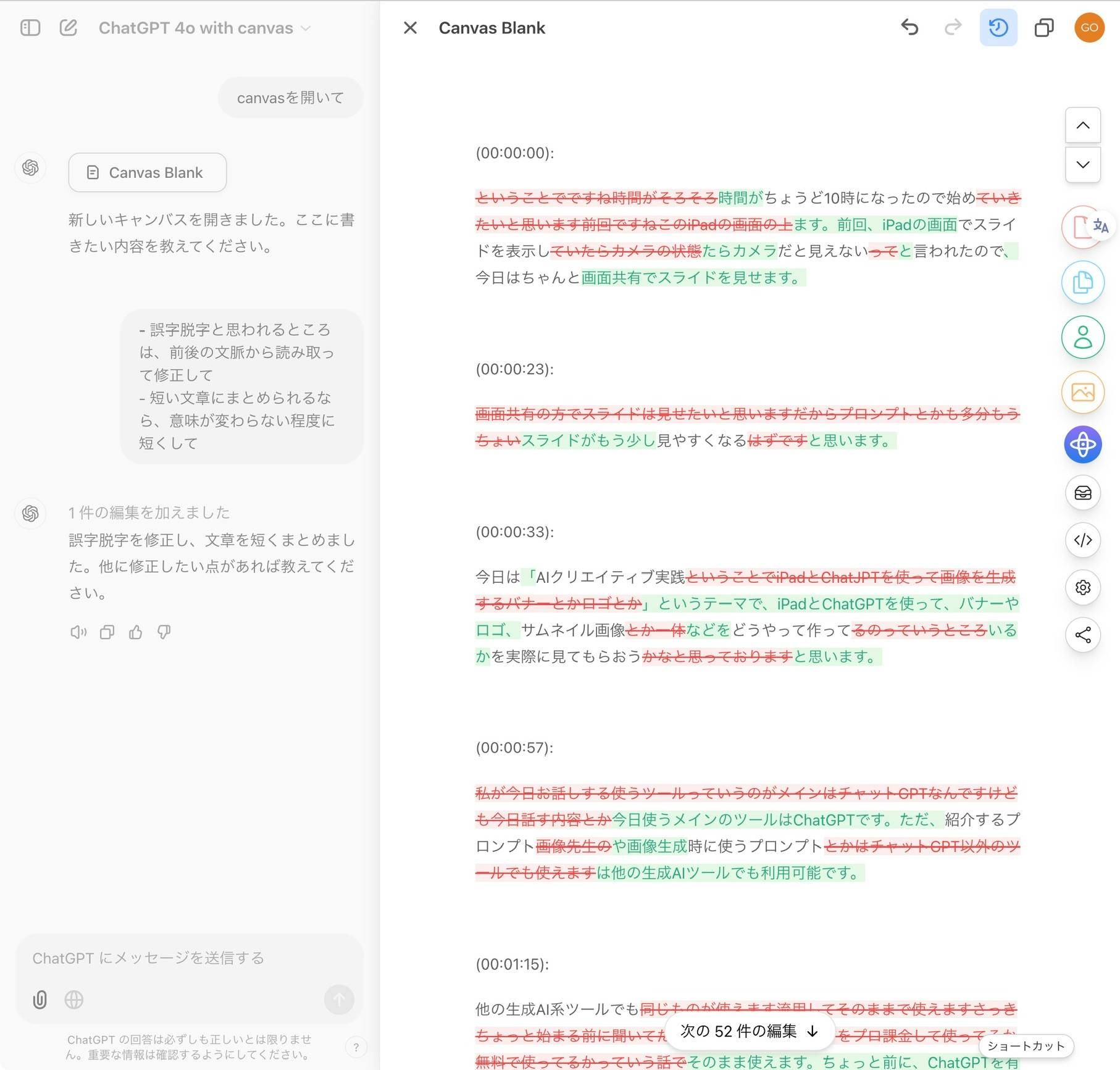
Additionally, you can request partial edits or ask ChatGPT for improvement suggestions.
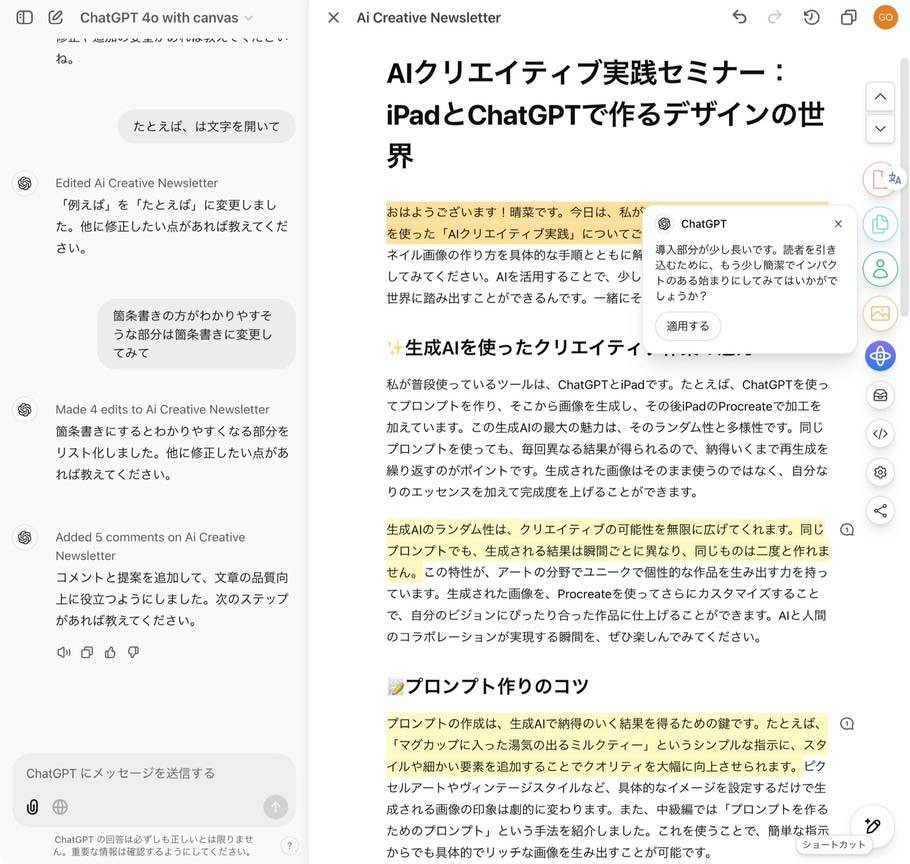
In the bottom right corner of the editor, buttons allow you to adjust text complexity and length with ease.
Key Features & Benefits of ChatGPT Canvas
🔄 Edit History & Change Tracking
Version History: Easily revert to previous versions.
Change Tracking: Edits are highlighted in red and green for clear visibility.
🎯 Targeted Edits & AI Suggestions
Directly modify specific parts of the text.
Receive AI-driven improvement suggestions.
✏️ Adjustable Text Length & Complexity
Modify text length as needed.
Switch between simplified and expert-level language.
✨ Additional Features
Auto-enhance text for improved clarity.
Add emojis to headings for better visual structure.
For tasks like formatting transcriptions, editing long texts, or organizing large amounts of information, ChatGPT Canvas is a game-changer. It’s also great for writing emails and reports.
ChatGPT Canvas on iPad & iPhone
On the ChatGPT app for iPad and iPhone, you can view and edit existing canvases but cannot create new ones.
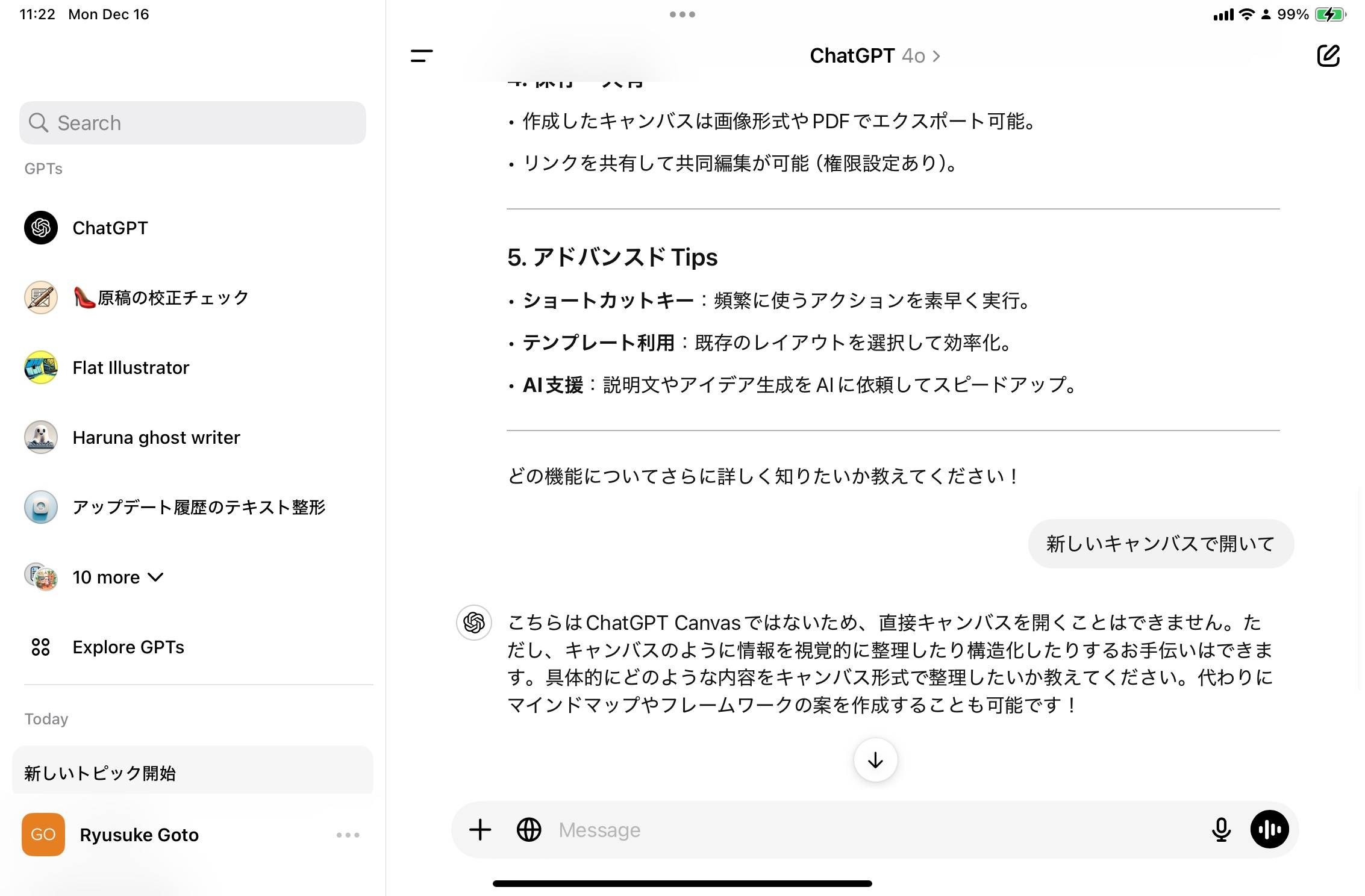
However, if you access ChatGPT via Safari or Chrome, you can use ChatGPT Canvas fully.
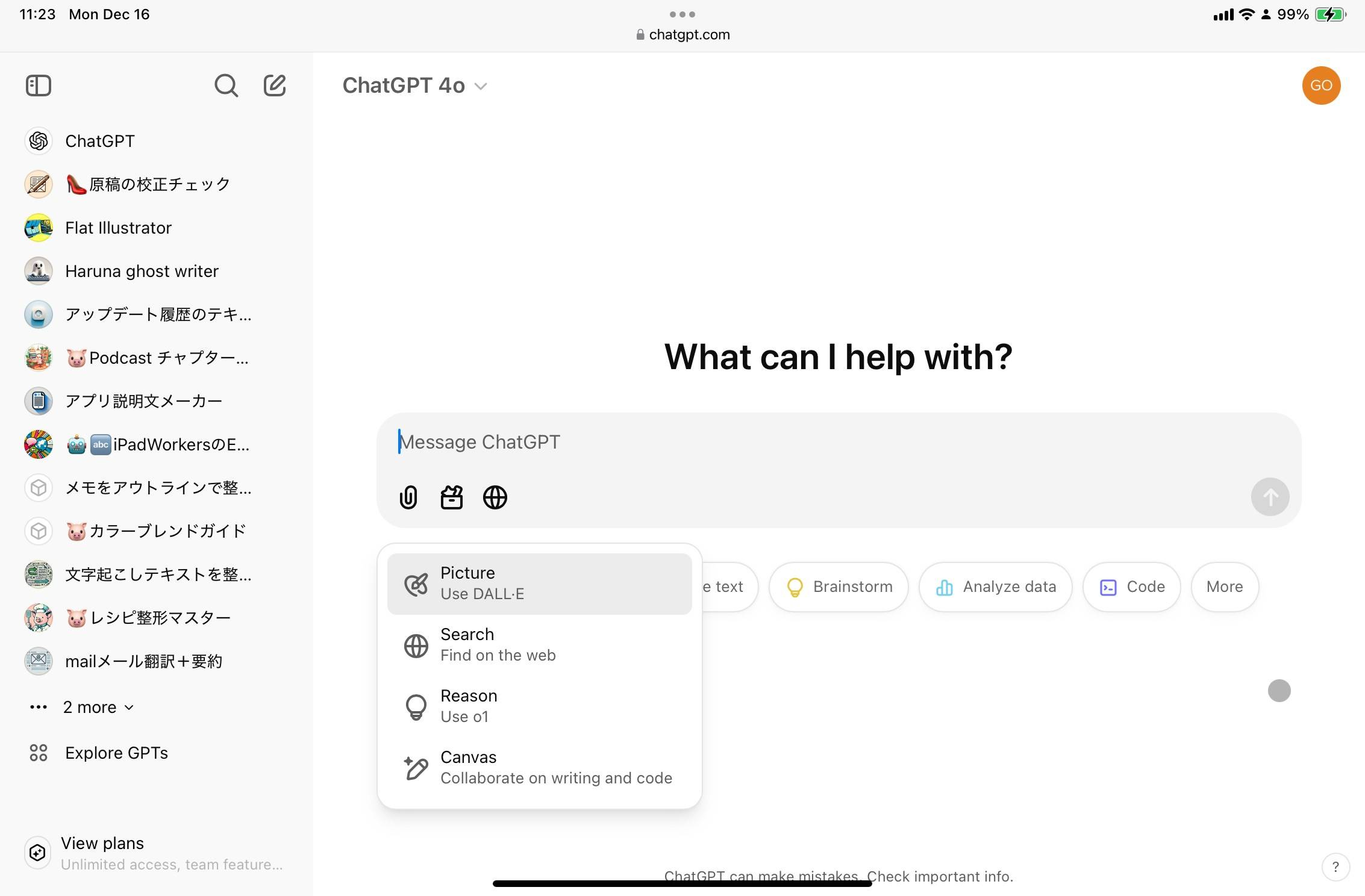
You can create a new canvas and tap the arrow in the top right to enter editing mode.
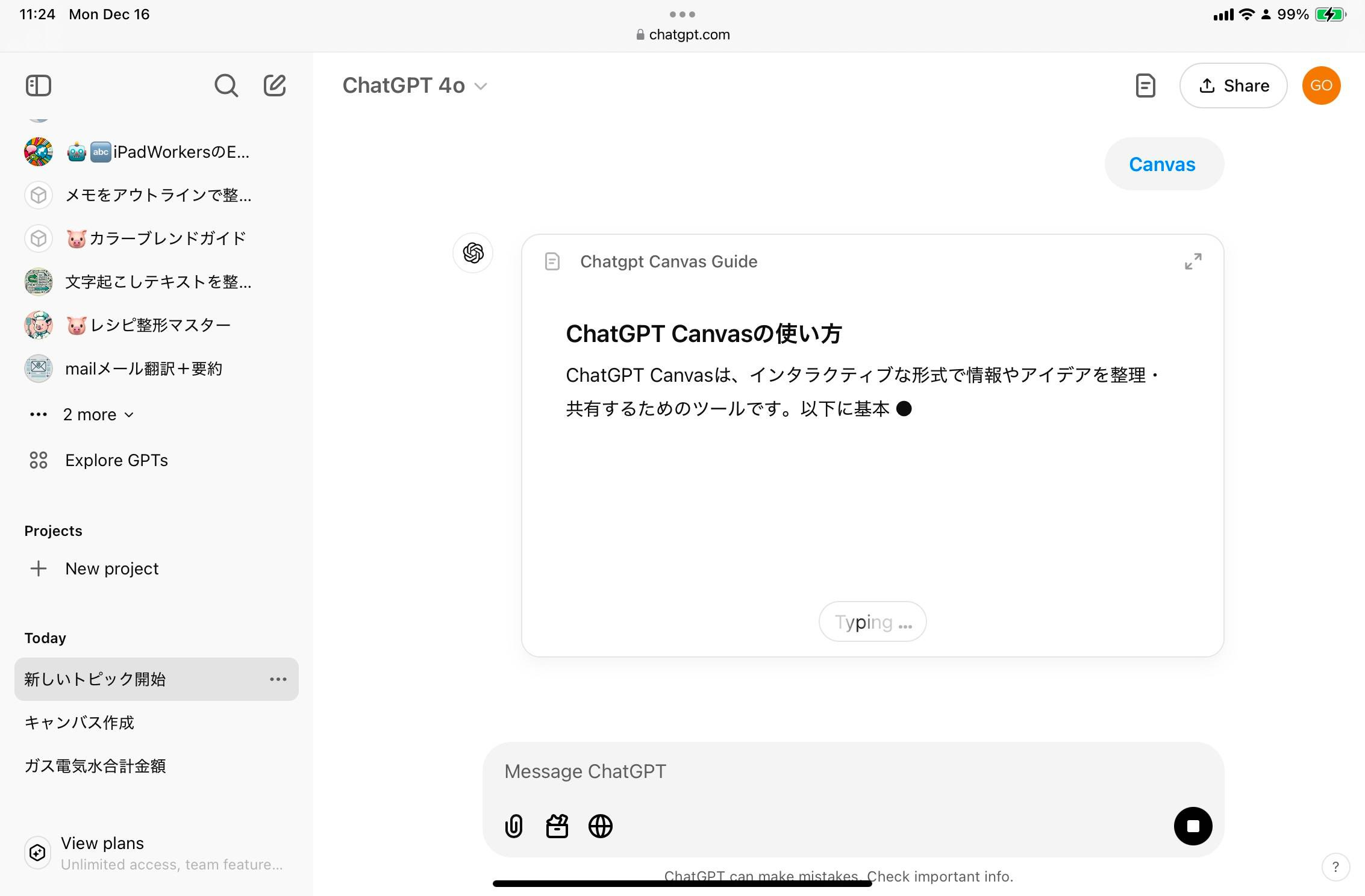
Once inside, you’ll see the chat window on the left and the editor on the right, allowing for direct text and code modifications.
🌟 A Solution to Editing Challenges
Previously, formatting podcast transcriptions was a tedious task. With ChatGPT Canvas, the process is now seamless and efficient.
Before, requesting "change just this part" or "leave this section as is" was tricky using only text-based prompts. Now, simply highlighting a section within the editor allows for targeted changes with precise control.
I’m also using ChatGPT Canvas for drafting newsletters and other written content. With the right workflow, this tool can significantly boost writing efficiency.
Since ChatGPT Canvas is now available to all users, I highly recommend giving it a try!
That’s all for today—writing just got even easier with ChatGPT Canvas! 🚀