
⌨️Why Can't the Old Magic Keyboard Be Used with the M4 iPad Pro?
Hands-on Review of the M4 iPad Pro, M4 iPad Pro Magic Keyboard, and Apple Pencil Pro

👋 Hi, it's Haruna.
Today's topic is about the M4 iPad Pro.
🆕 Released on May 15: The M4 iPad Pro
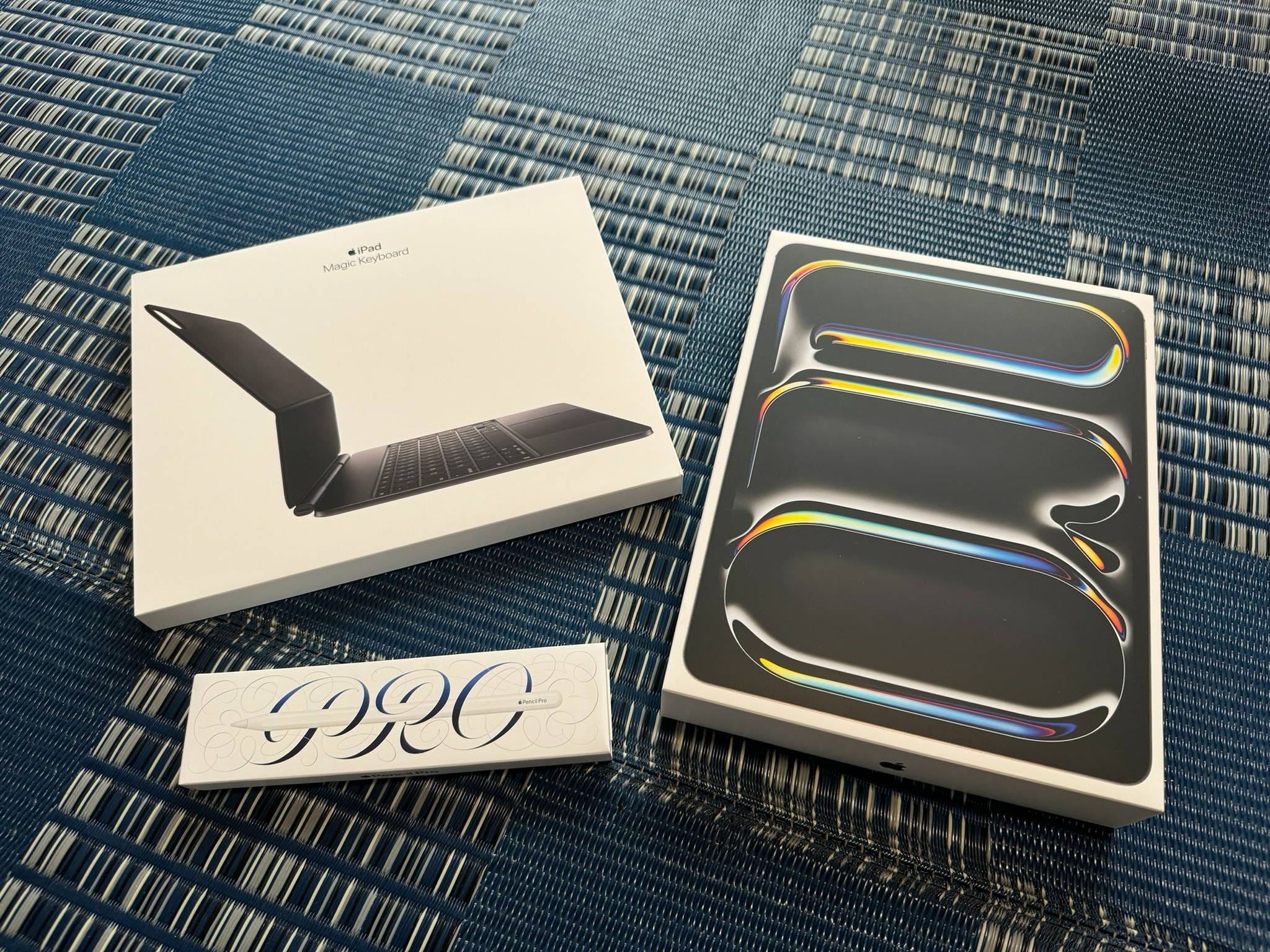
The M4 iPad Pro was just released last week. Let's summarize what's changed. Notably, the M4 iPad Pro has a different magnet layout, meaning old accessories are incompatible. This means you'll need to repurchase all accessories.
The full set of the 13-inch device, Magic Keyboard, and Apple Pencil Pro costs $2,899. I chose the 1TB model to add the Nano-texture Glass option, so the device itself costs $2,338.
🔍 Hands-on Review
M4 iPad Pro 13-inch
The first impression when holding it is "thin" and "light." It feels noticeably thinner just by holding it.
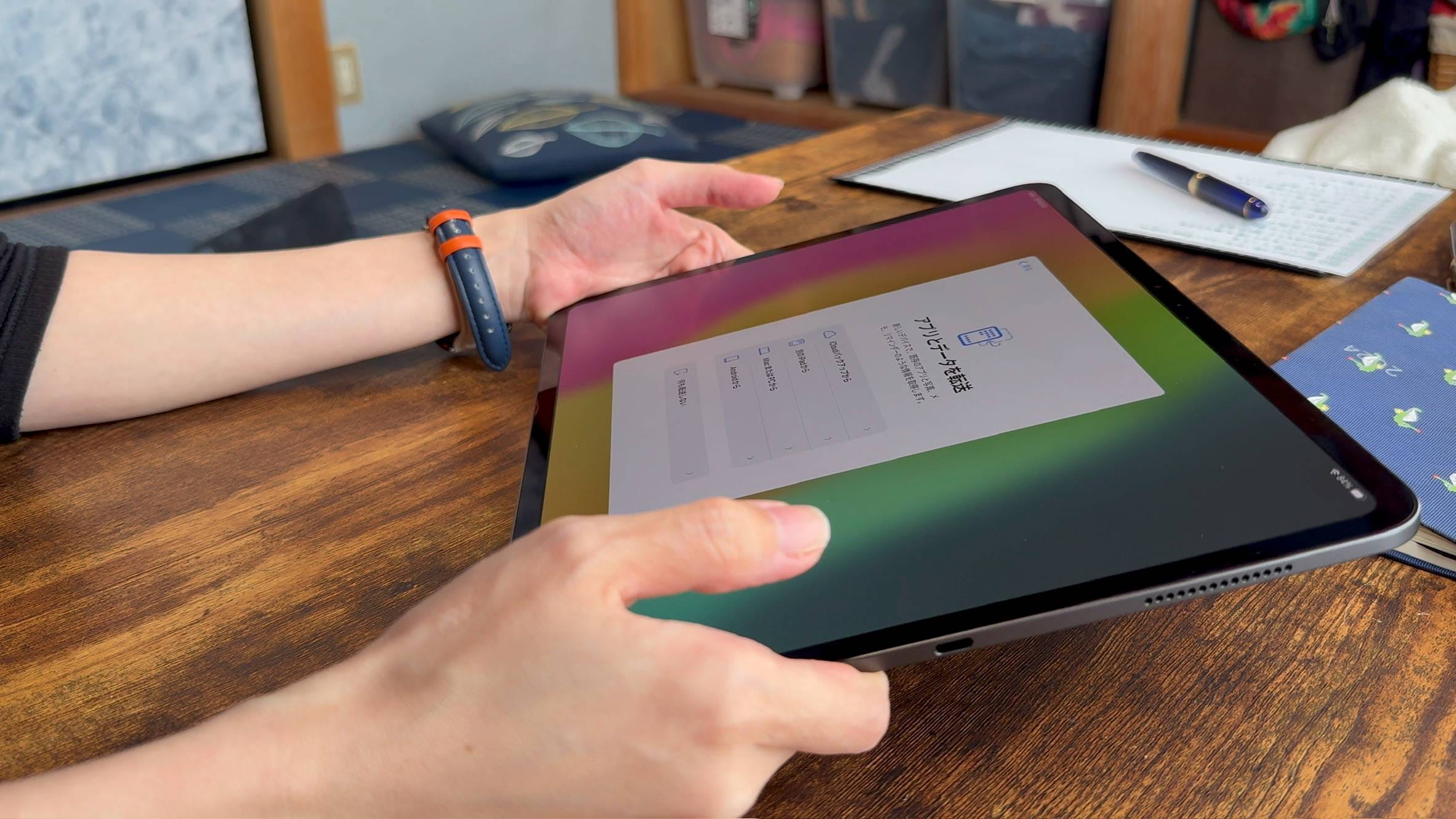
The Nano-texture Glass is more anti-glare than expected, providing a texture between smooth and rough. It's not as rough as a paper-like film.
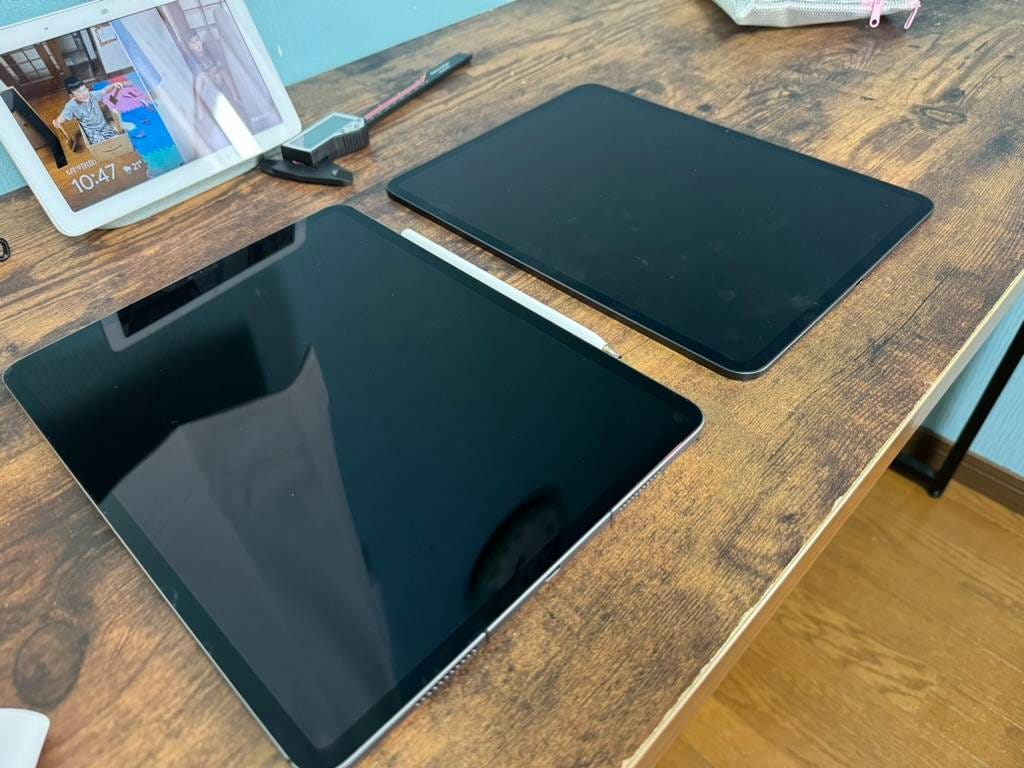
Here is a comparison with the M1 iPad Pro (without a film). The regular glass of the iPad Pro clearly reflects the lighting.
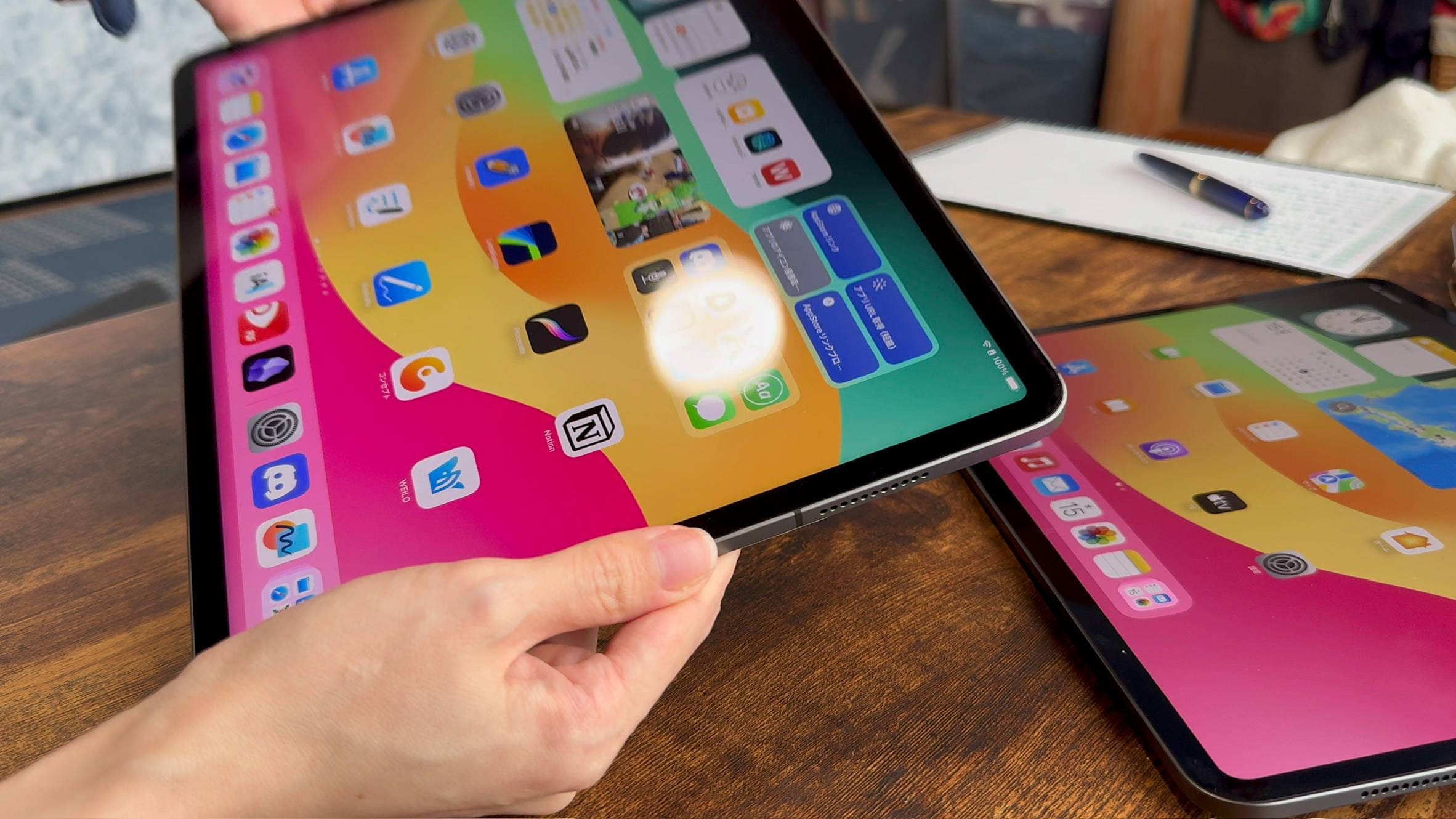
In contrast, the Nano-texture Glass of the M4 iPad Pro barely reflects light, except slightly at the black edges. Amazing.
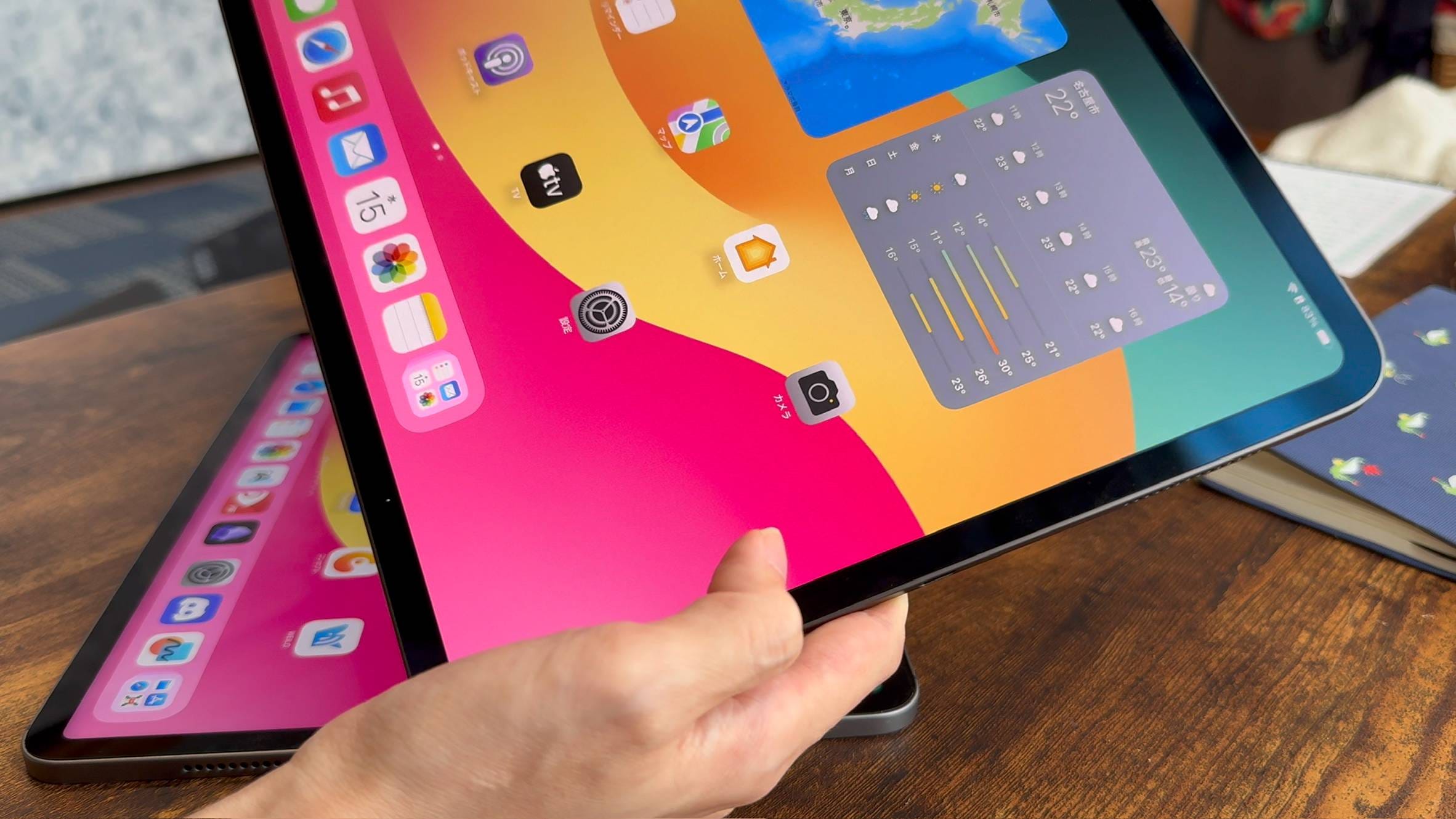
You might think it's the same as putting an anti-glare or paper-like film on it, but look at the difference. The black parts of the film-covered one turn whitish, but the Nano-texture Glass does not.
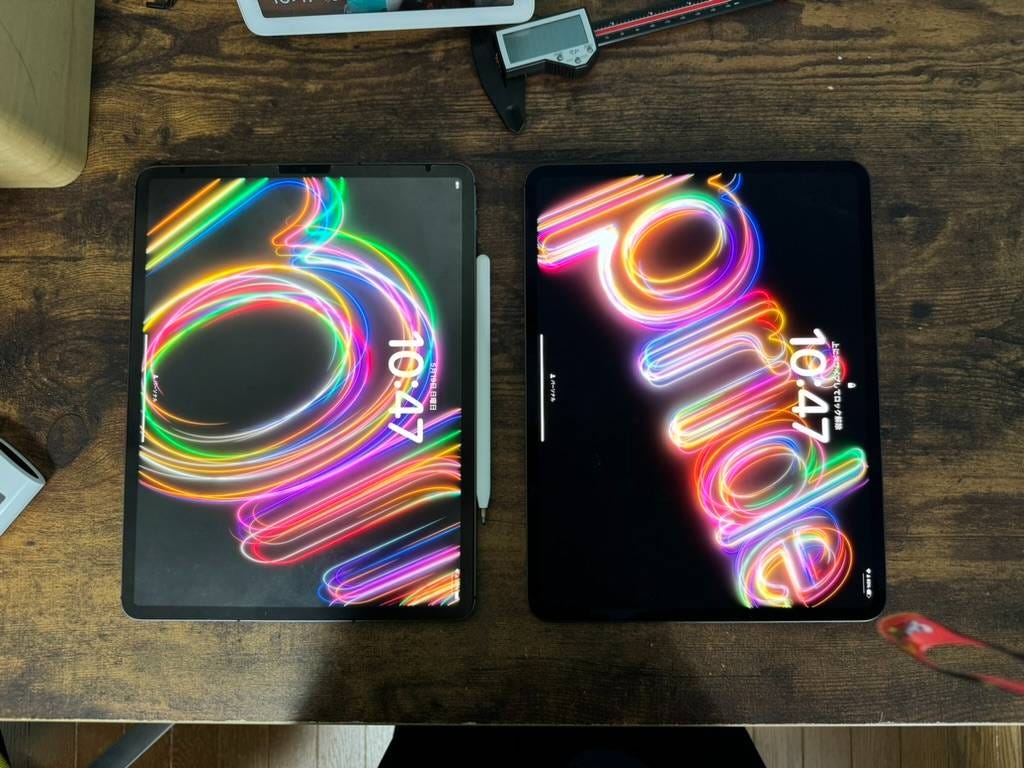
However, the Nano-texture Glass option starts at $2,338, which is quite expensive. Also, you can't apply a film to the Nano-texture Glass, which might be a drawback depending on your usage environment.
Honestly, using a device costing over $2,300 with an unprotected glass surface is daunting. The compatibility with the Apple Pencil tip is still unknown and somewhat concerning.
Previously, if you wanted a clear screen, you had to choose a non-glare glass film. But now, with the Nano-texture Glass option, you get both screen clarity and anti-glare properties. However, since it costs around $700 more, few people would choose the 1TB model just for the Nano-texture Glass.
Magic Keyboard
Due to the change in the magnet layout on the back of the M4 iPad Pro, a new M4-compatible Magic Keyboard has been released. The material is now metal, and function keys have been added.
This is the old Magic Keyboard (13-inch) for iPad Pro. It weighs about 700g.
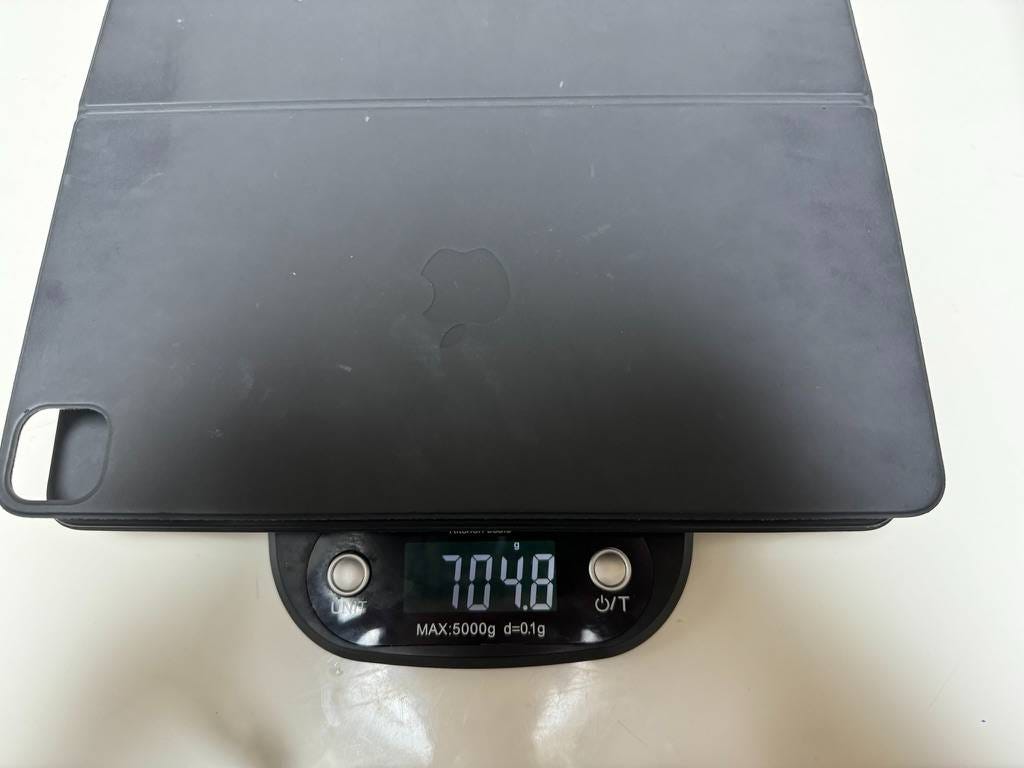
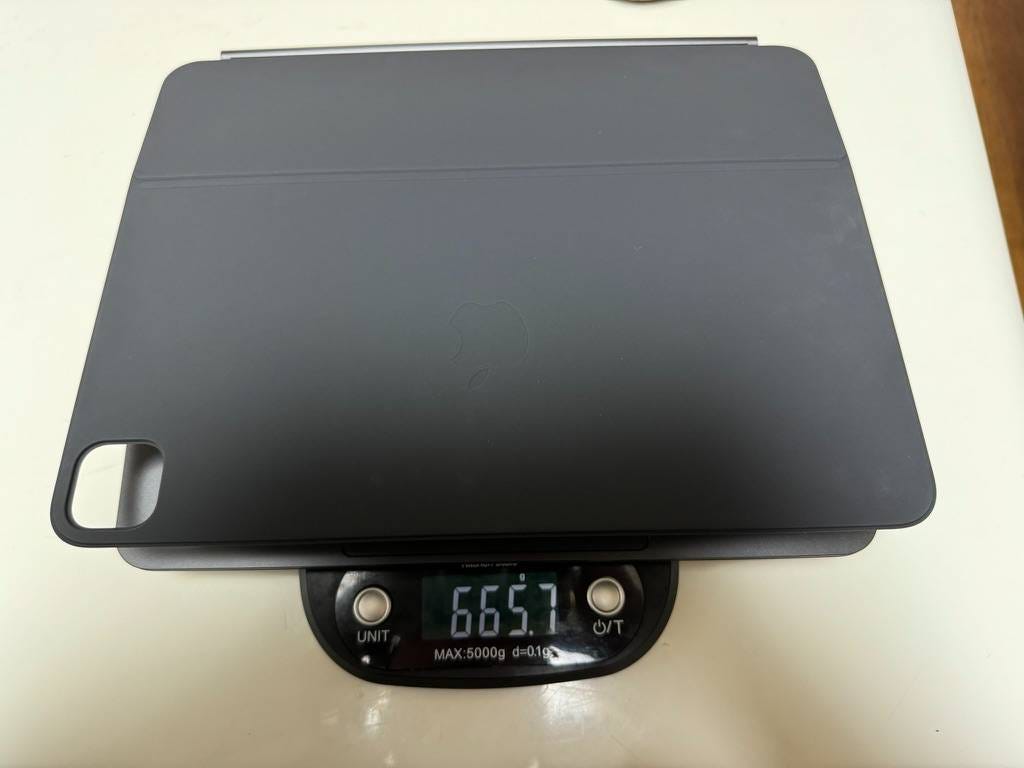
Here is the newly released Magic Keyboard (13-inch) for the M4 iPad Pro. It weighs slightly less at 665g. It is not compatible with the newly released M2 iPad Air.
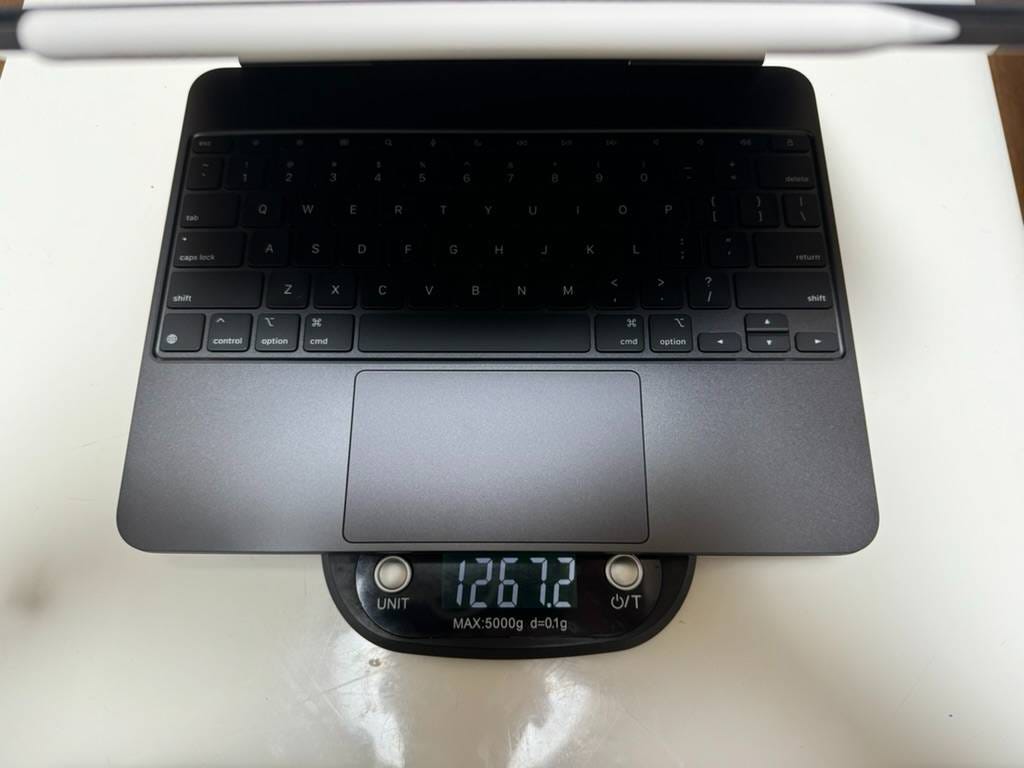
The M4 iPad Pro 13-inch + M4 Magic Keyboard 13-inch + Apple Pencil Pro weigh 1267g. The M3 or M2 13-inch MacBook Air weighs 1.24kg, so if you remove the Apple Pencil Pro, the weights are almost identical.
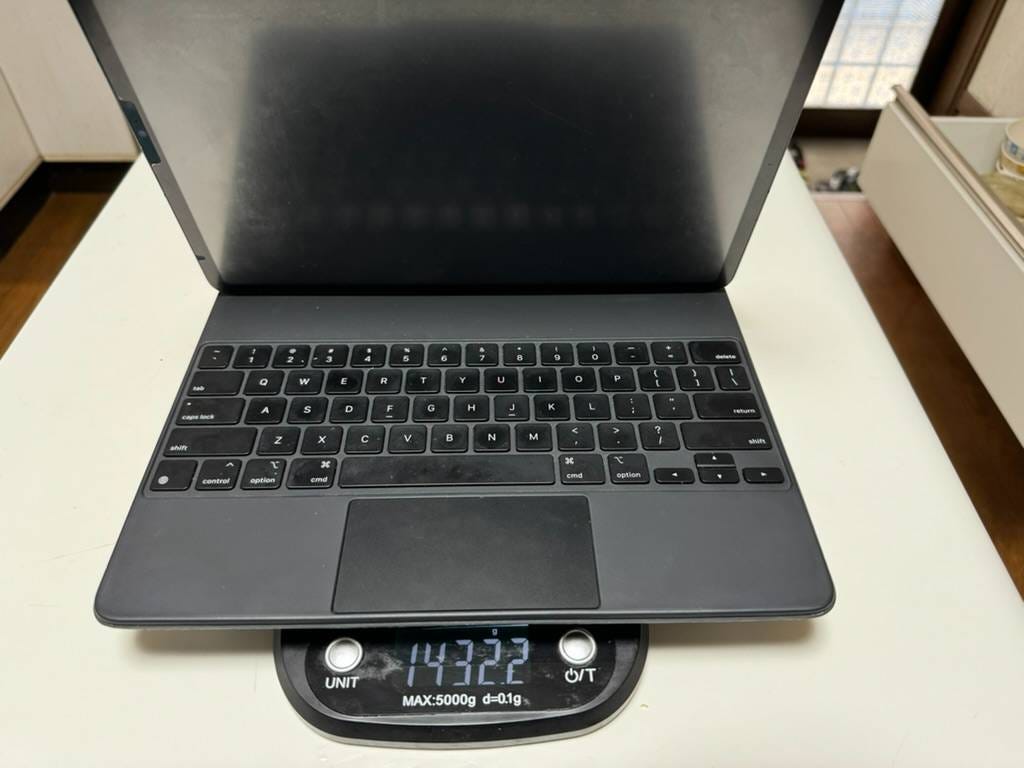
The M1 iPad Pro 12.9-inch + old Magic Keyboard 13-inch + Apple Pencil weigh 1432g, so the new model is about 165g lighter.
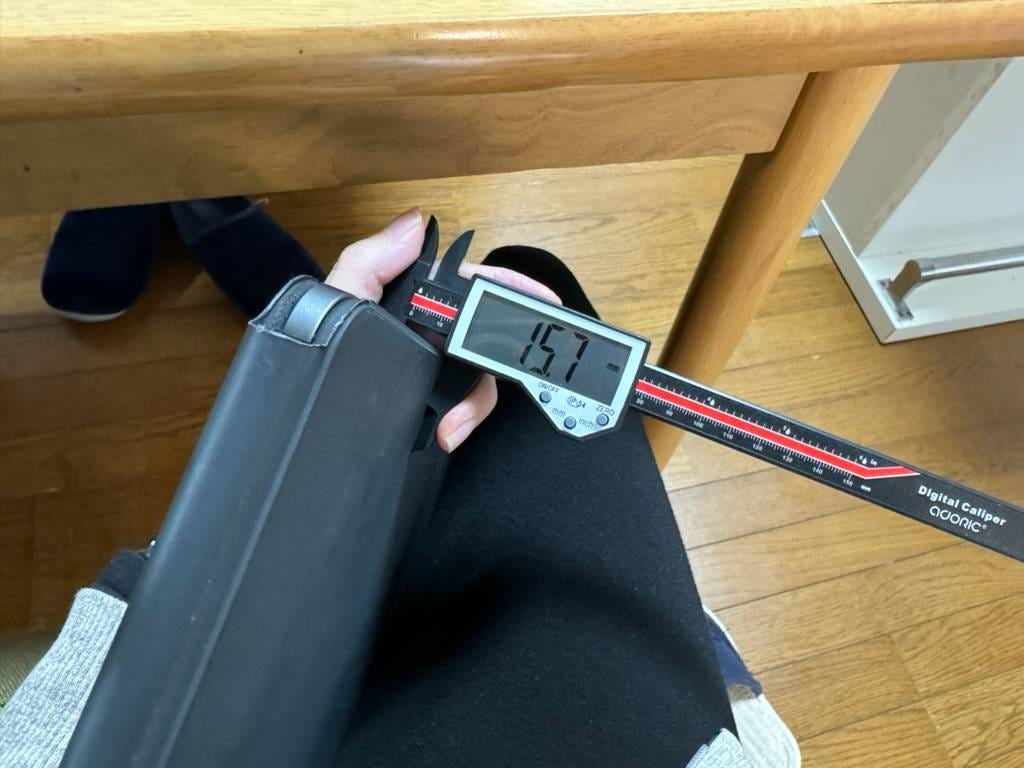
The combined thickness of the M1 iPad Pro 12.9-inch + old Magic Keyboard 13-inch is 15.7mm.
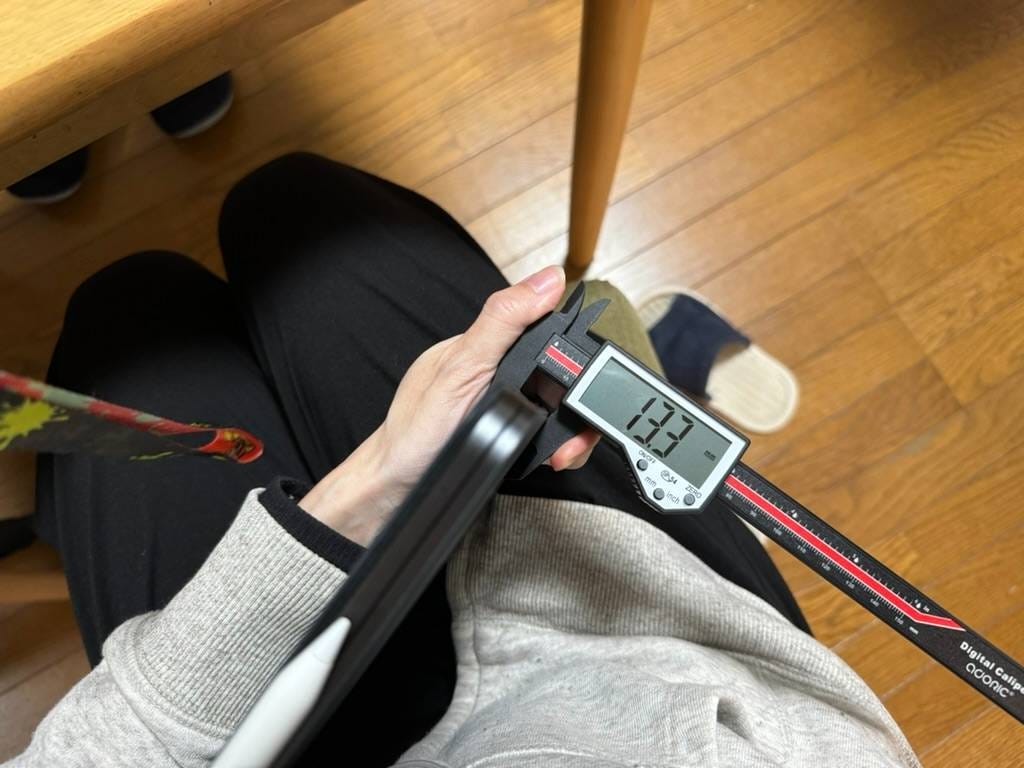
The M4 iPad Pro 13-inch + M4 Magic Keyboard 13-inch is 13.3mm, so it’s 2.4mm thinner. The thinness of the M4 iPad Pro 13-inch is quite impressive. It clearly feels different when holding it.
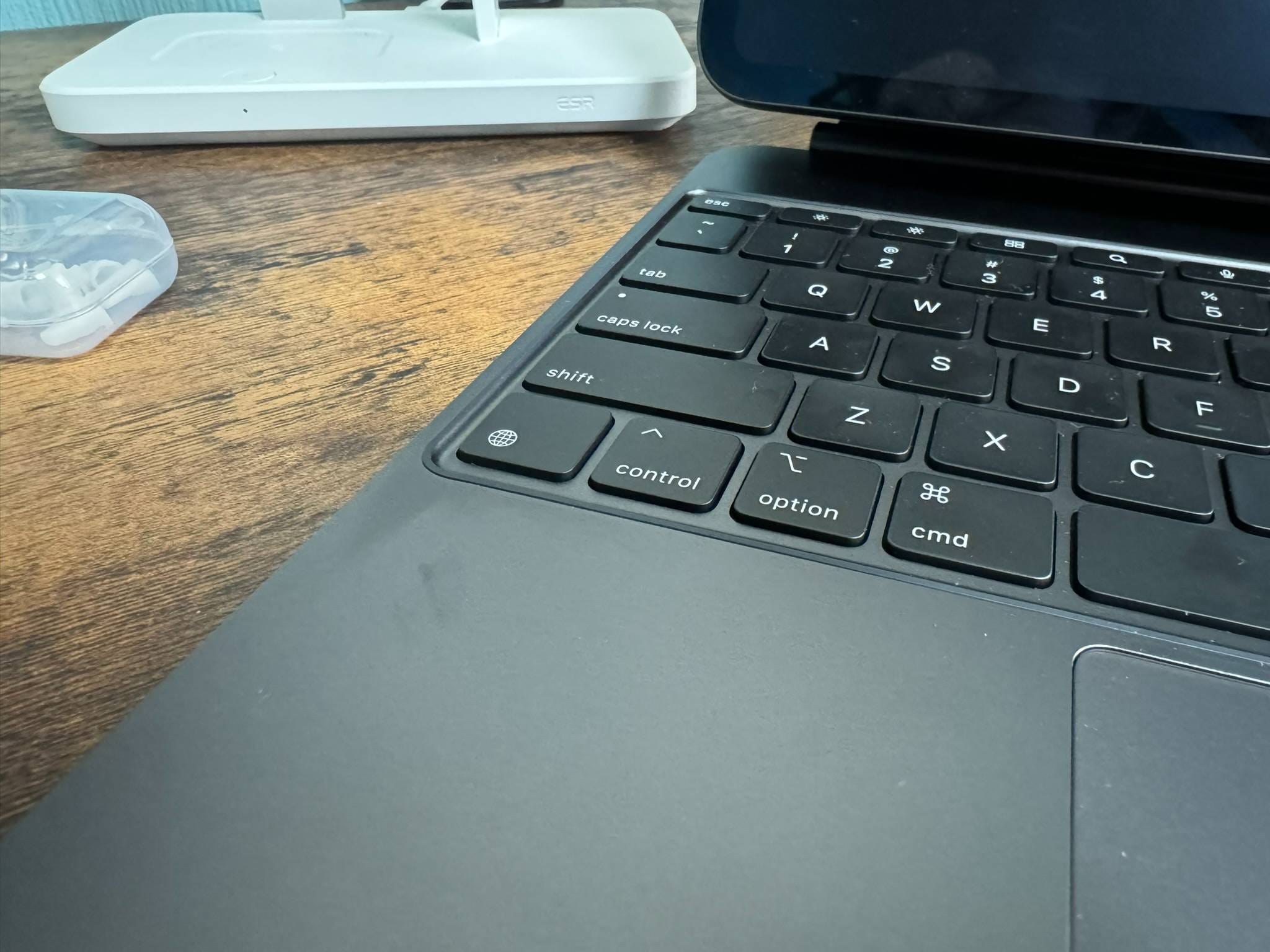
The keyboard part is designed with a rubber material around the edges to prevent the glass and metal surfaces from clashing.
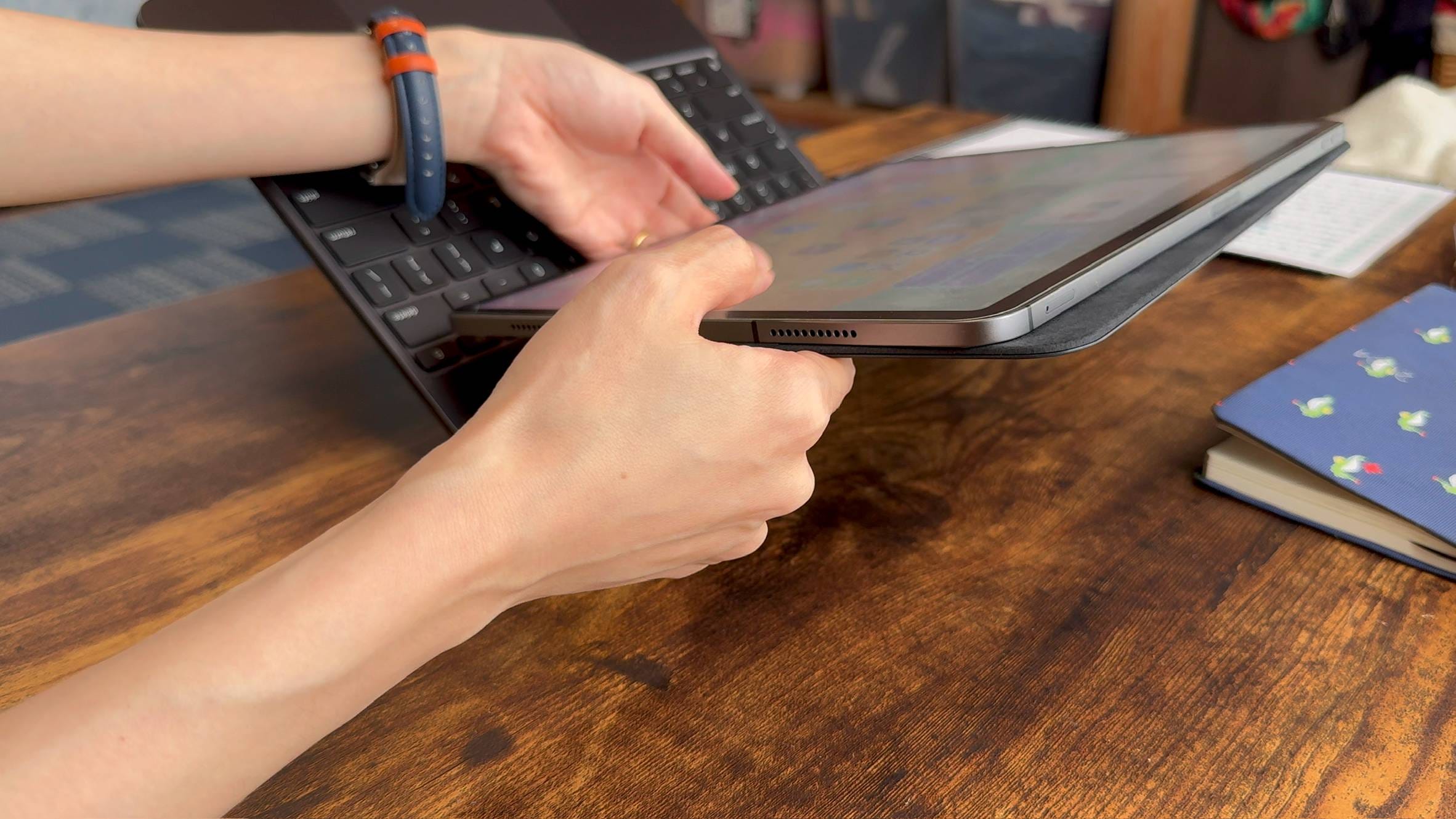
When you try to attach the M2 iPad Air or an older iPad Pro model to the M4 Magic Keyboard, it doesn't align correctly, as shown in the picture. Similarly, attaching the M4 iPad Pro to an old Magic Keyboard results in the same issue.
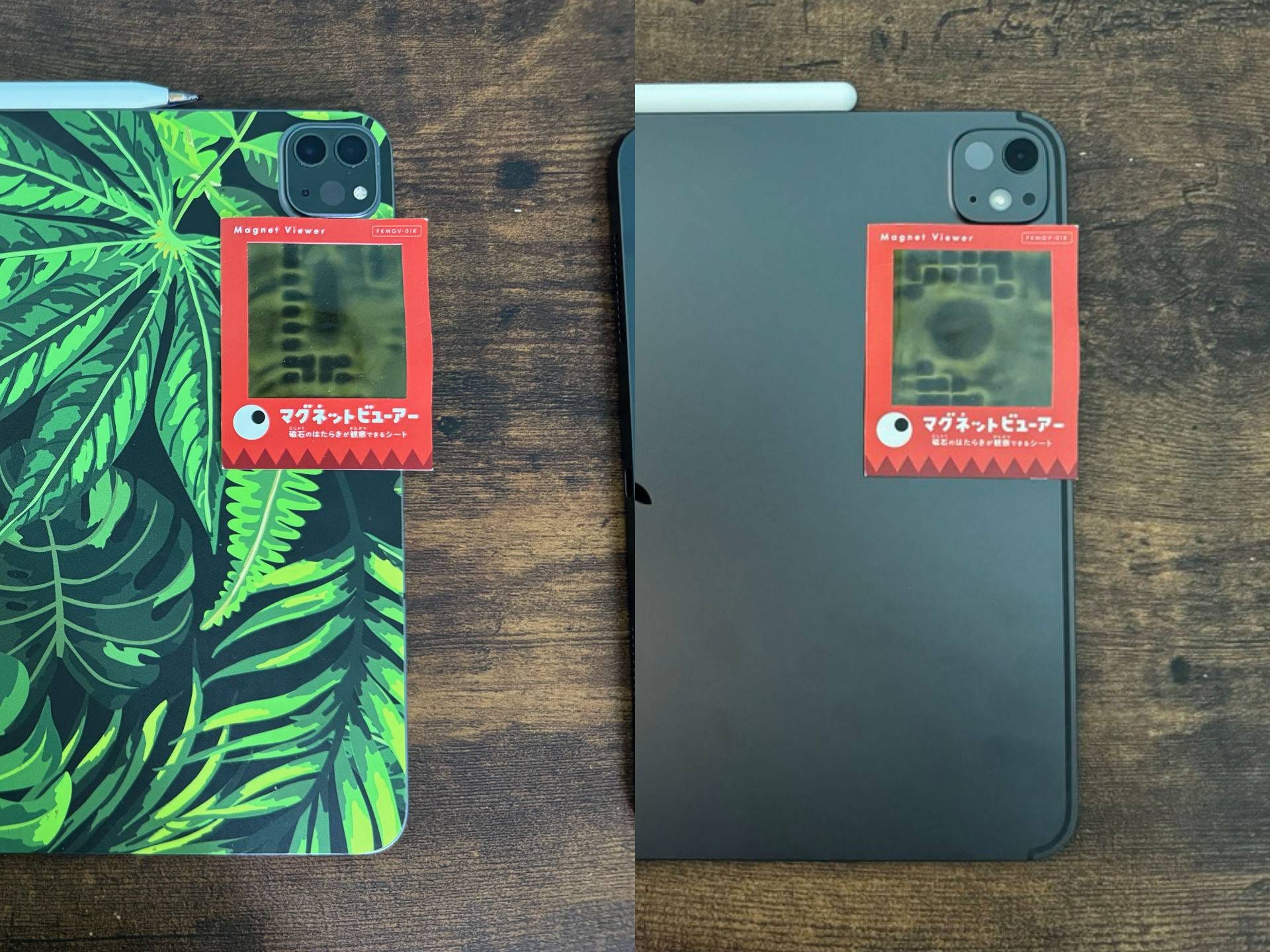
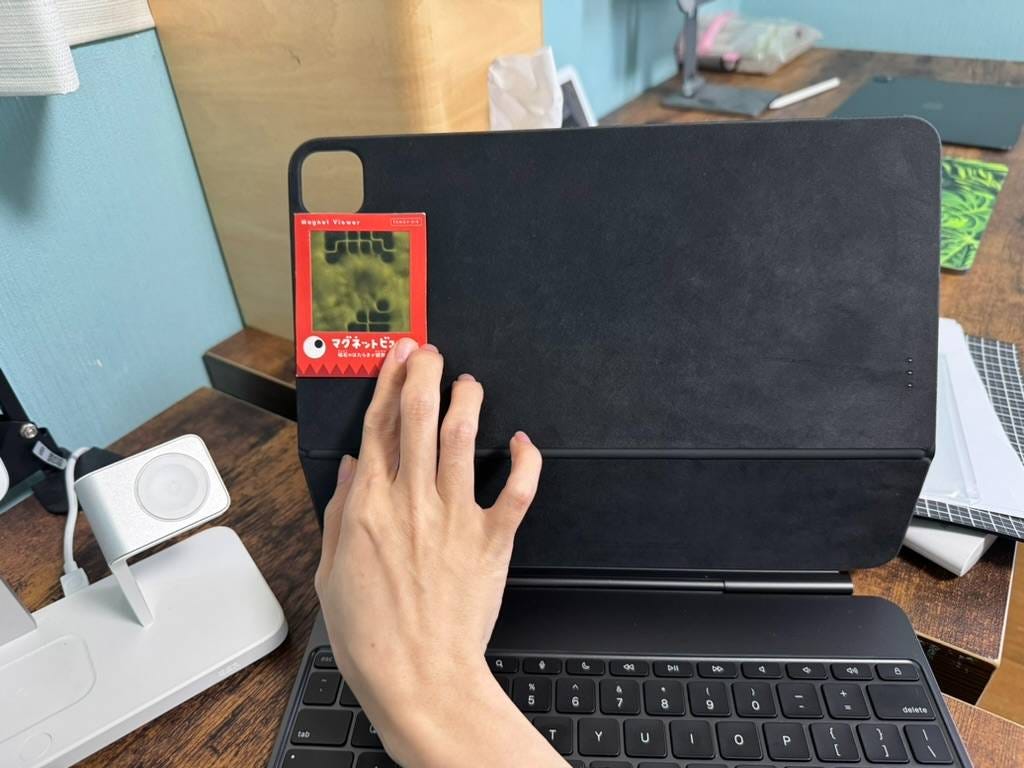
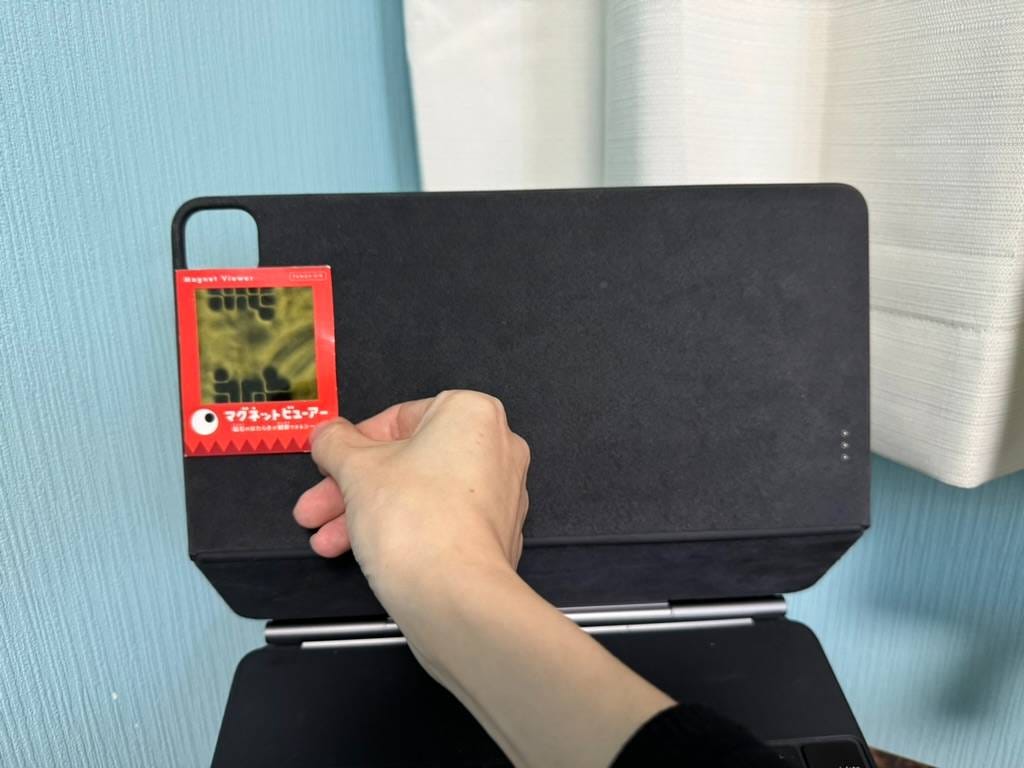
This is because the magnet layout on the back of the new M4 iPad Pro has changed. The Magic Keyboard is designed to match the device's magnet layout, so they are not compatible. (Left 🌿 M1 iPad Pro; Right M4 iPad Pro)
This is the magnet layout on the M4 Magic Keyboard.
This is the magnet layout on the old Magic Keyboard.
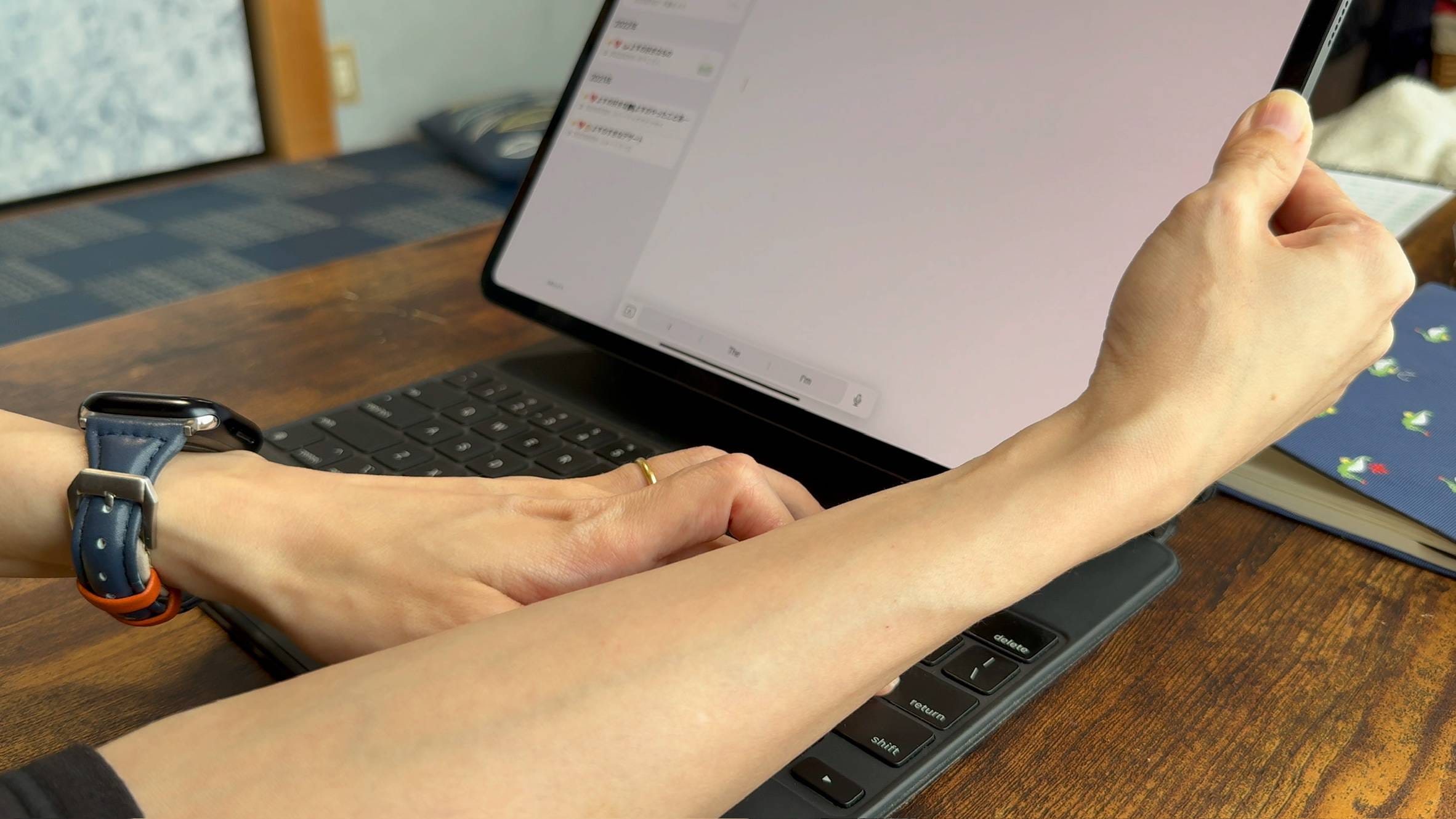
The Smart Connector's position hasn’t changed, so you can use it by holding it down manually, but it’s not very practical.
Apple Pencil
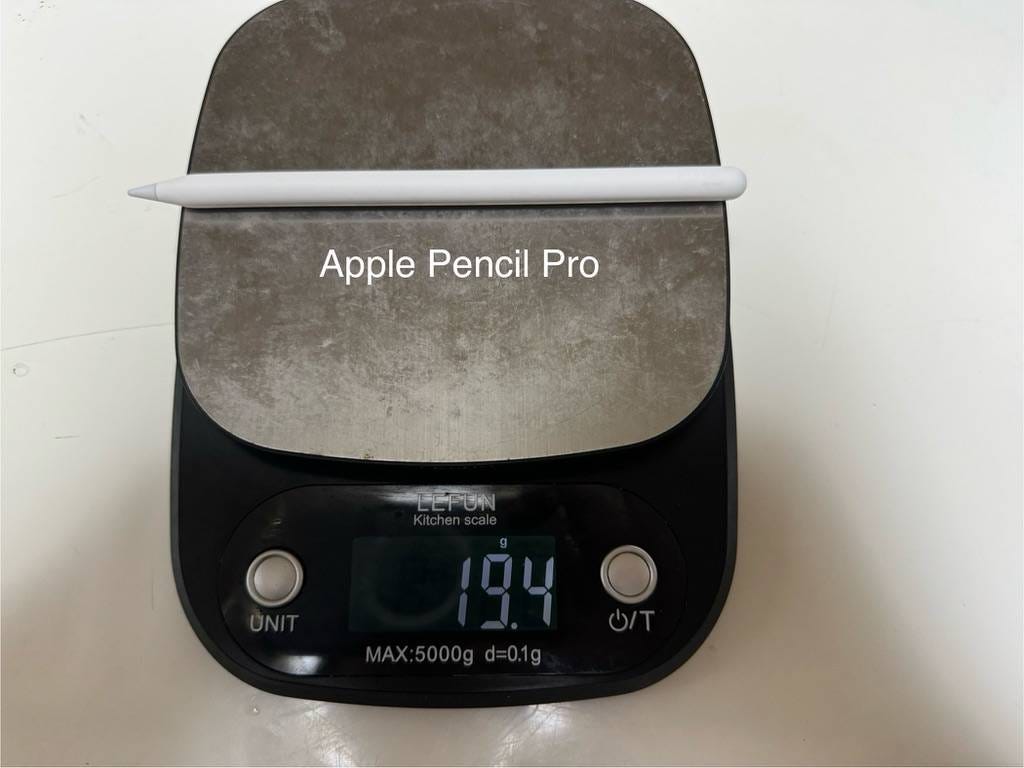
The Apple Pencil Pro, compatible with the M4 iPad Pro and M2 iPad Air, weighs 19.4g. It's only 1g heavier than the Apple Pencil (2nd generation). Honestly, the difference is not noticeable even when holding both pencils.
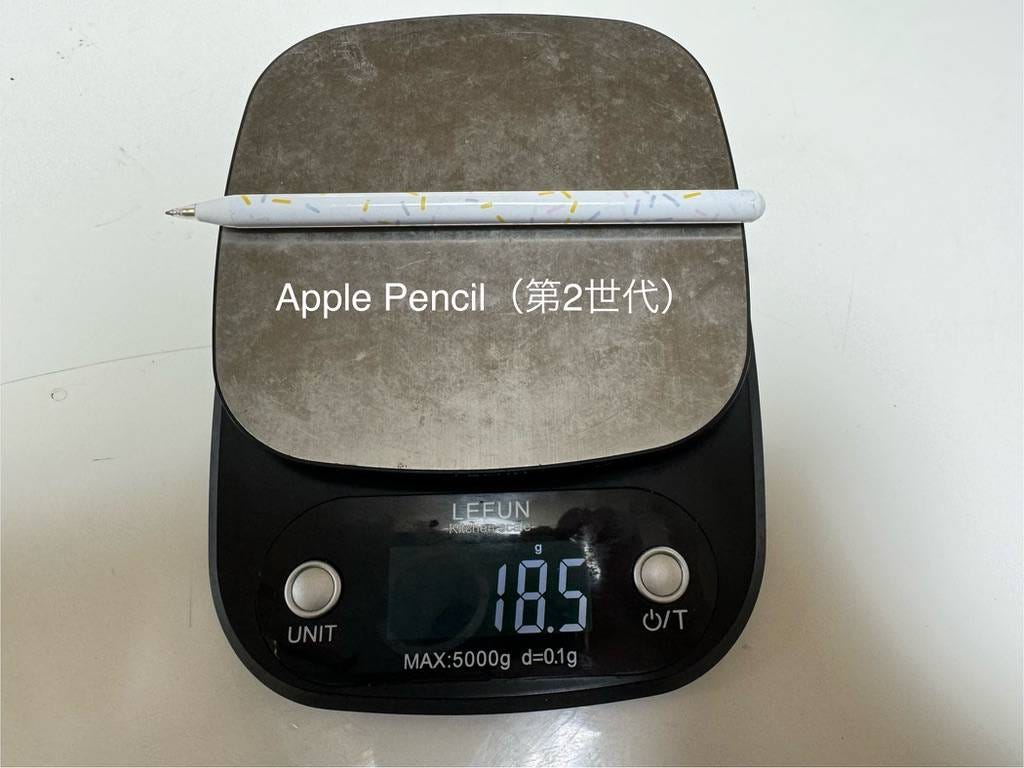
The Apple Pencil (2nd generation) weighs 18.5g and cannot be used with the M4 iPad Pro or M2 iPad Air.
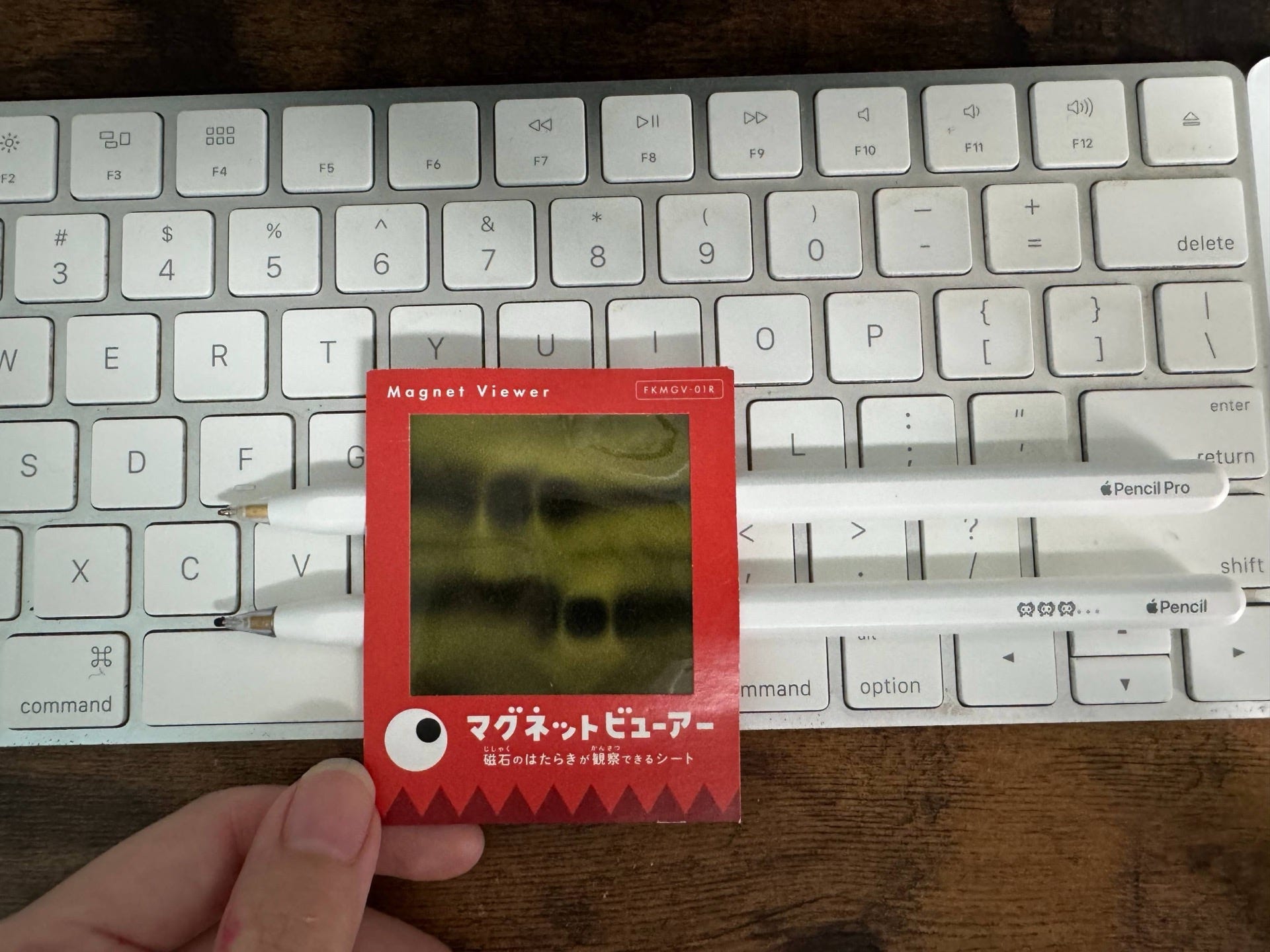
The magnet positions differ between the Apple Pencil Pro (top) and Apple Pencil (2nd generation) (bottom).
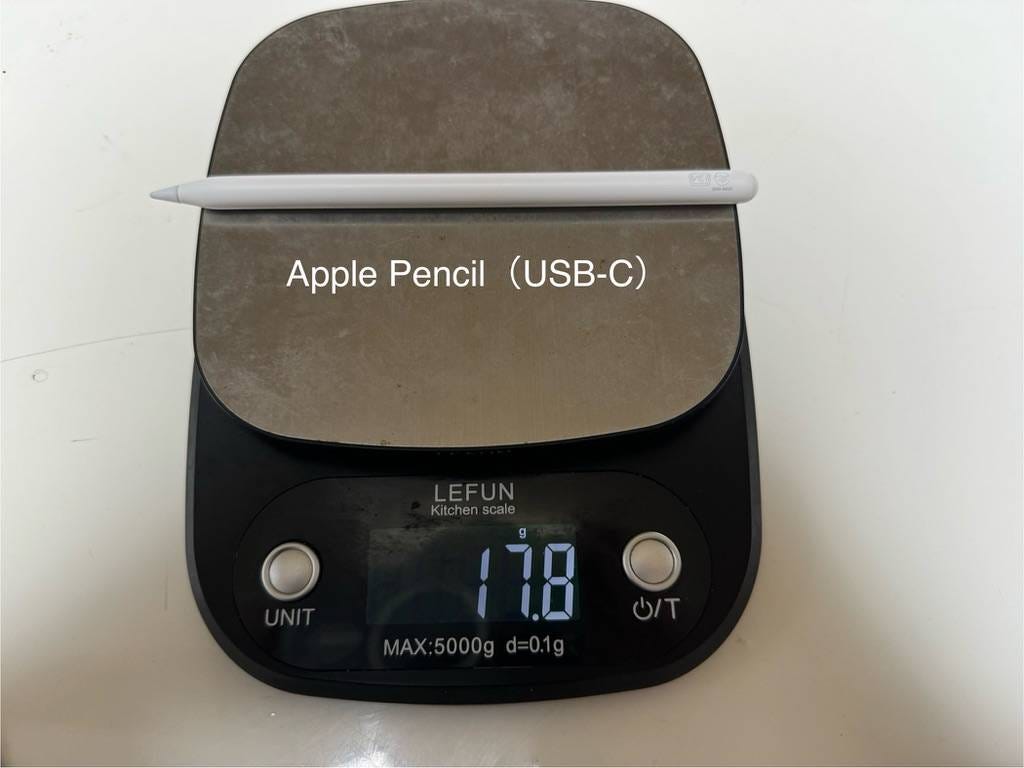
The Apple Pencil (USB-C) model without pressure sensitivity is compatible with the new magnet positions and can be used with the M4 iPad Pro and M2 iPad Air.
💬 Impressions After a Week
After using the M4 iPad Pro for a week, my strongest impression is how great the haptic feedback on the Apple Pencil Pro is.
While the Apple Pencil (2nd generation) had a double-tap function, I rarely used it because it was cumbersome. However, the haptic feedback on the Apple Pencil Pro makes double-tapping usable.
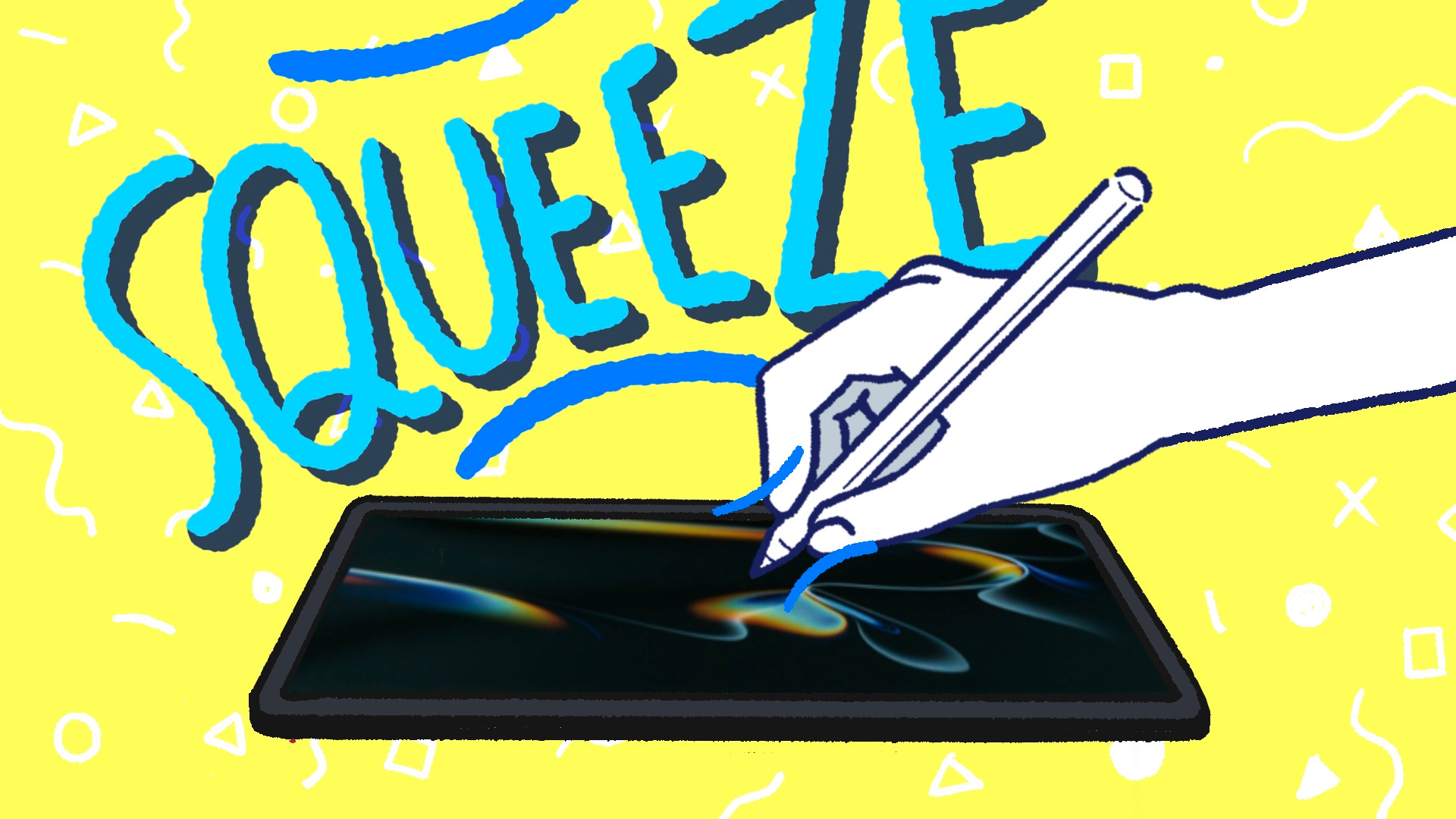
Additionally, having the tool palette appear at the pen tip is very convenient. The "squeeze" function, which involves gripping the pen tip, is easier to use than double-tapping.
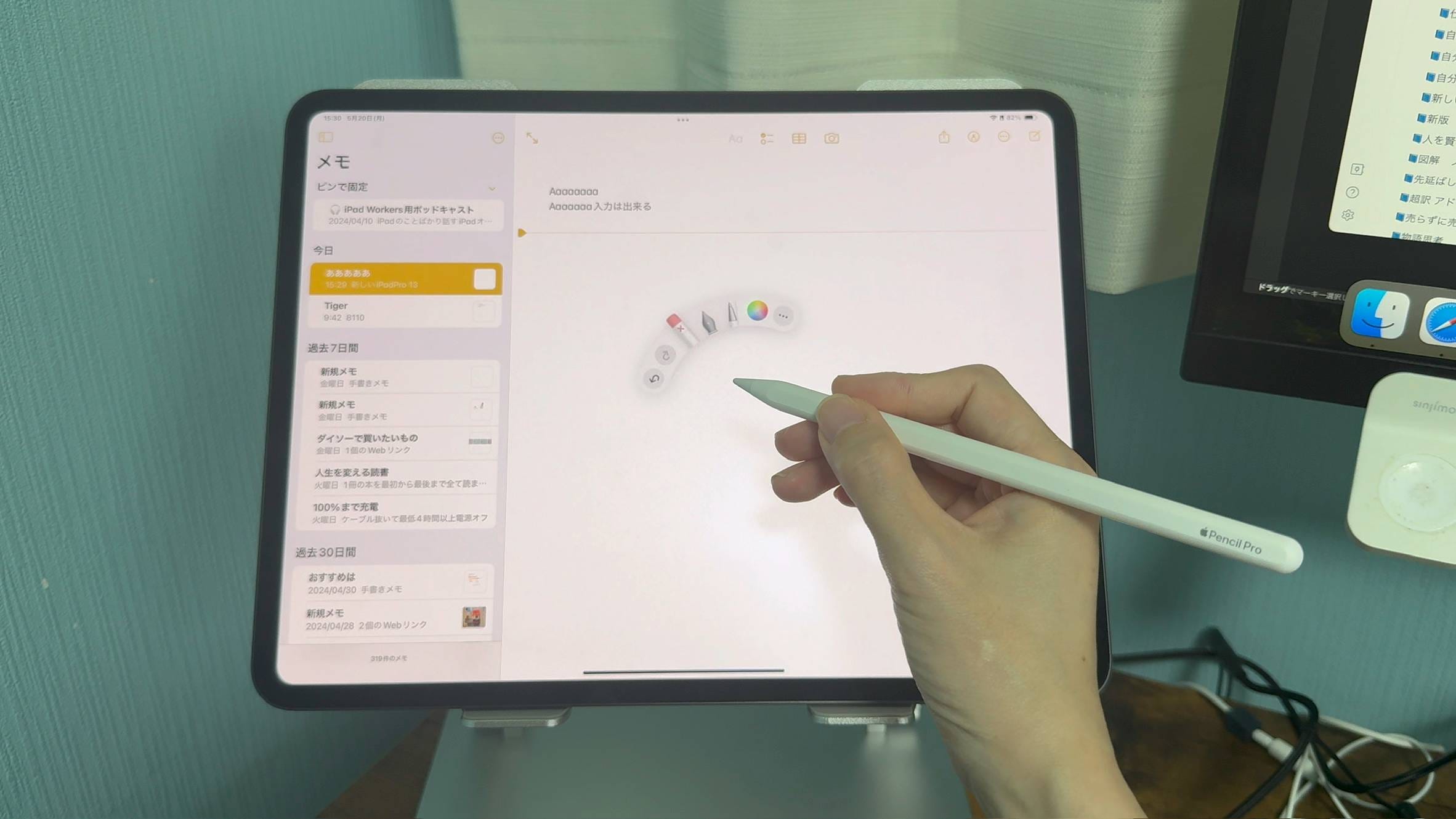
You can switch not only the pen type but also the color and thickness with minimal movement.
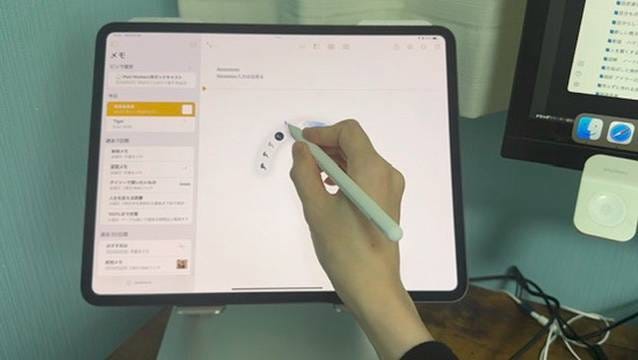
The Apple Pencil Pro is highly recommended, and the fact that it costs the same as the Apple Pencil (2nd generation) is excellent. However, the Apple Pencil Pro is only compatible with the M2 iPad Air and the M4 iPad Pro.
For those looking to upgrade their entire iPad setup, the M4 iPad Pro is a good recommendation. But for those who already own iPad Pro accessories, the additional expense makes it hard to recommend the M4 iPad Pro easily.
The compatibility issues between different models and accessories have become quite complex this time around.
Depending on how you use it, if you plan to use the M4 iPad Pro with a keyboard, you'll need over $2,800. It's a tough decision. The M2 iPad Air will likely satisfy most users' performance needs, but differences like Face ID versus Touch ID, the presence of a LiDAR scanner, and maximum brightness might be deciding factors.
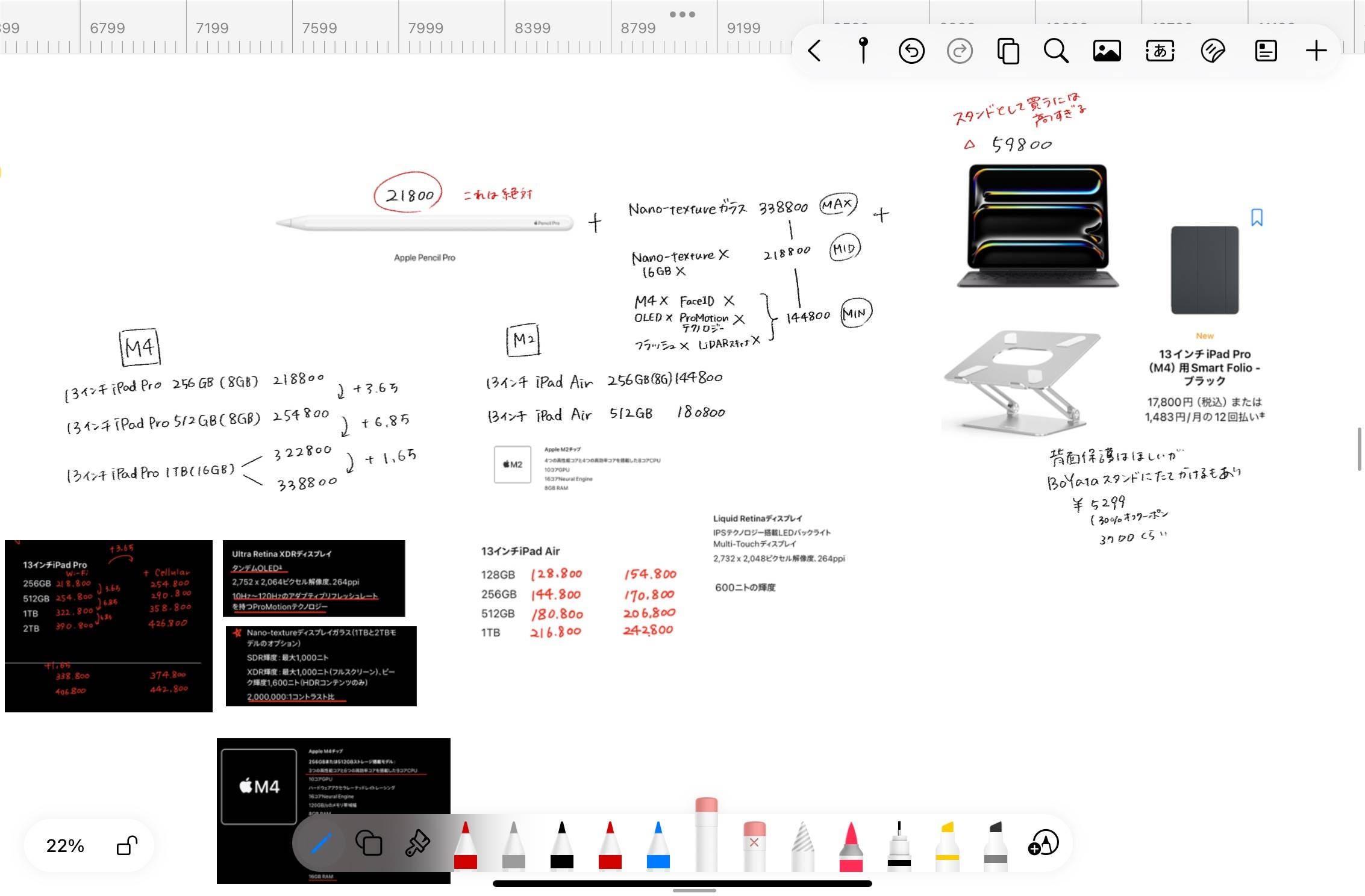
Honestly, many people might not notice the absence of ProMotion technology unless it's pointed out. So, the recommendation might vary depending on whether you use it outdoors, unlock it with gloves, or do 3D-related tasks.
That wraps up today's discussion on my impressions of the M4 iPad Pro.